

Default Behavior
When an operator opens a collection, Forest loads records in pages. Two requests are sent to your back-end for each page load:- A query to fetch the records for the current page
- A query to count the total number of records (used to display page numbers and totals)
Changing the Page Size
The page size is part of the collection’s layout, so the value you set applies to all operators, not just you. It is not a personal, per-operator preference. To change it:- Enter Layout Editor mode
- Open the collection’s table view
- Use the page-size selector at the bottom-right of the table and pick a value
- The new page size is saved to the layout and applies to everyone
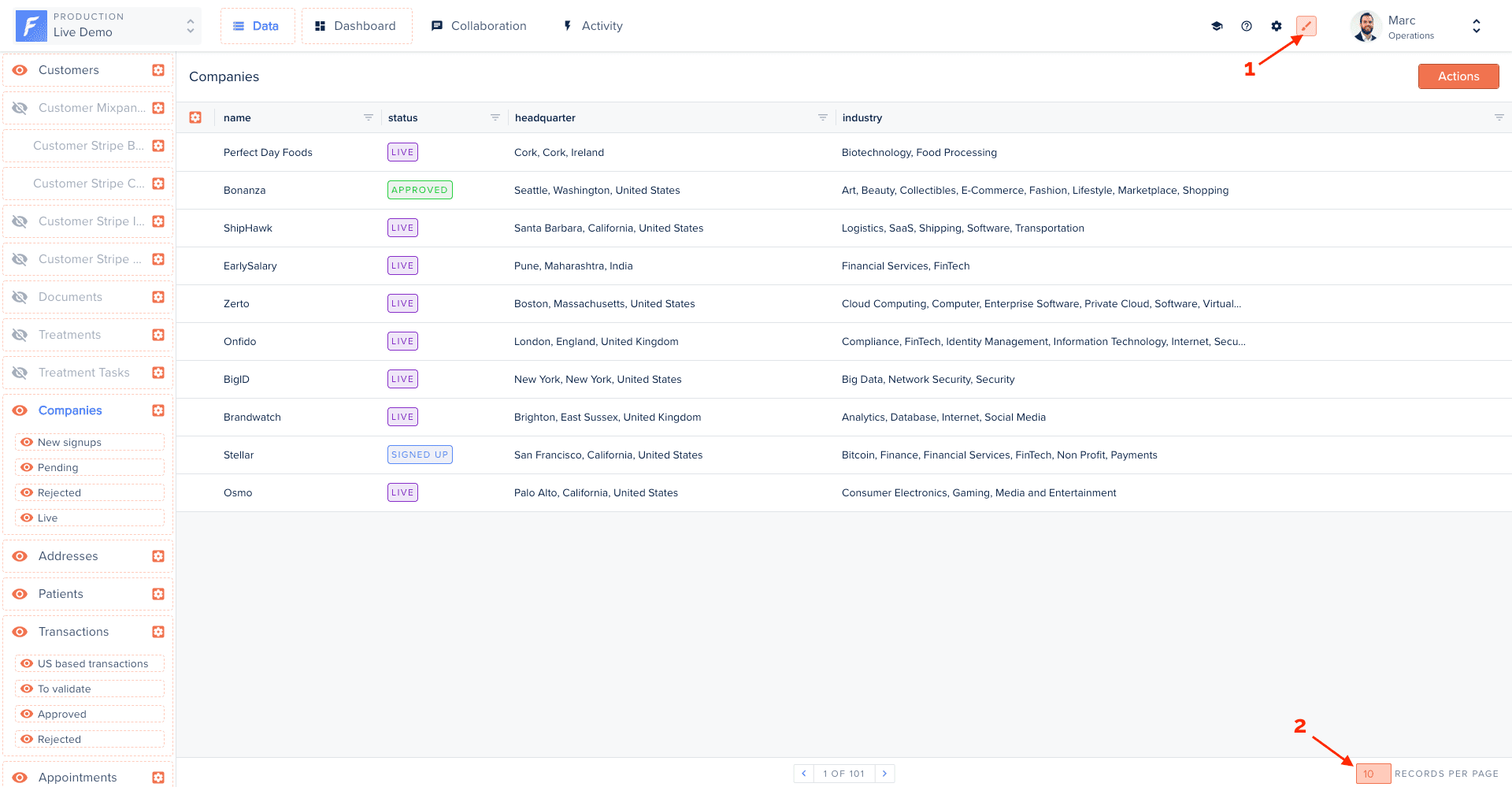
Set the number of records per page from the bottom-right of the table, in Layout Editor mode
Disabling the Record Count
The total record count query can be expensive on large tables, especially if the query involves complex filters, joins, or a database without good index coverage. If the total count isn’t needed, disable it per collection:Disabling count is especially useful for collections backed by large analytical tables, external APIs, or data sources where a COUNT query is particularly slow.
Performance Recommendations
For more optimization strategies, see Layout Maintenance.