

Data privacy
Private by design
Forest implements a privacy-first architecture where your data flows directly between your Back-end and user browsers, never passing through Forest servers. How it works: When users access the Forest UI, their browser establishes two separate connections:- Forest servers: Retrieves layout configuration, UI settings, and metadata
- Your Back-end: Retrieves actual data from your database
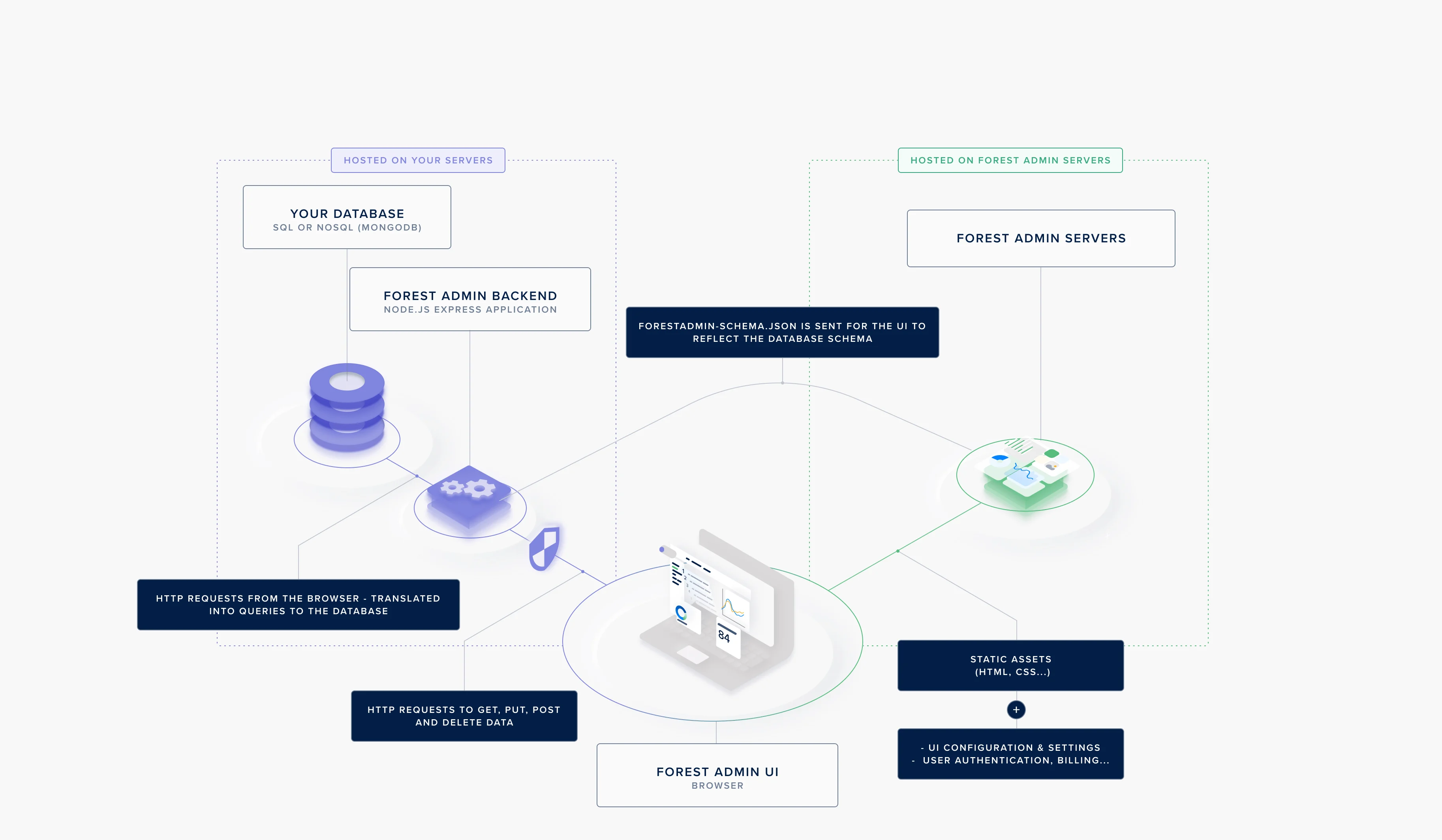
The Forest privacy architecture: data flows directly between your agent and the user's browser
- UI layouts and configurations
- User authentication metadata (email, role, permissions)
- API request logs (endpoints called, timestamps)
- Your actual data (customer records, transactions, etc.)
- Database credentials
- Your
FOREST_AUTH_SECRET
This architecture ensures your data remains within your infrastructure at all times.
No third-party tracking
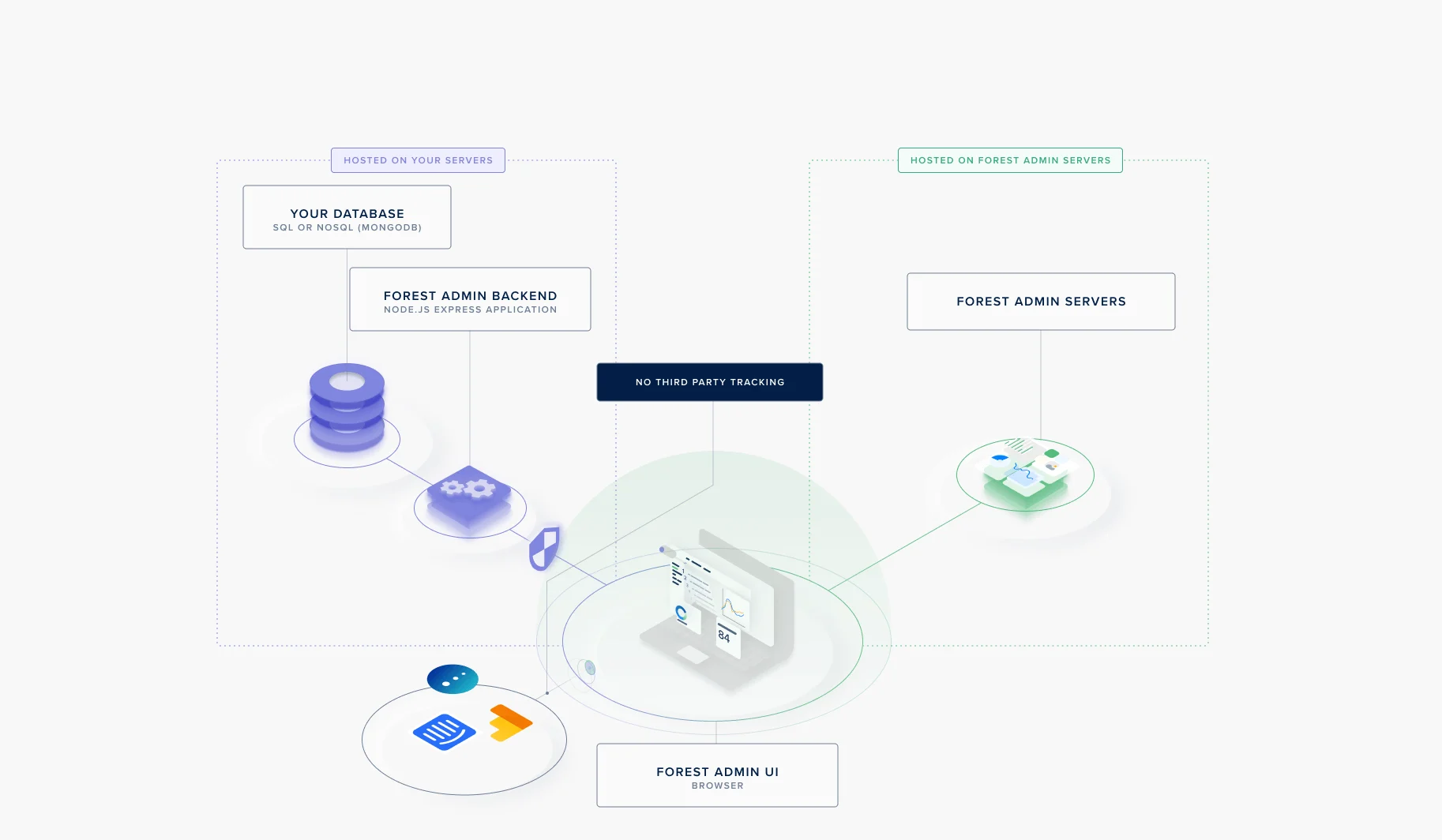
Your data never reaches third parties
- No data sharing: Your data is never sold or shared with third parties
- No third-party analytics on data: Forest doesn’t track or analyze your business data
- Optional tracking control: Organizations can disable third-party vendors that might track activity metadata from browsers
Security measures
Token-based authentication
Forest uses a dual-token authentication system to secure both UI access and Back-end communication.
The dual-token authentication flow
FOREST_ENV_SECRET
Authenticates requests between your Back-end and Forest servers. Purpose:- Links your Back-end to your Forest project
- Authenticates layout and configuration requests
- Required for all architectures (Cloud, Self-Hosted, On-Premise)
- Generated by Forest
- Unique per environment (development, staging, production)
- Should be stored as an environment variable
FOREST_AUTH_SECRET
Authenticates requests between user browsers and your Back-end (Self-Hosted and On-Premise only). Purpose:- Signs JWT tokens for user authentication
- Validates requests to your Back-end
- Your choice - Forest never knows this secret
- Generated by you (not Forest)
- Should be at least 32 characters long
- Unique per environment
- Used only in Self-Hosted and On-Premise architectures
Cloud architecture:
FOREST_AUTH_SECRET is not needed because authentication is handled by Forest servers. Your data still flows directly from your Back-end to browsers without passing through Forest.JWT token structure
Both tokens are JSON Web Tokens (JWT) containing user context: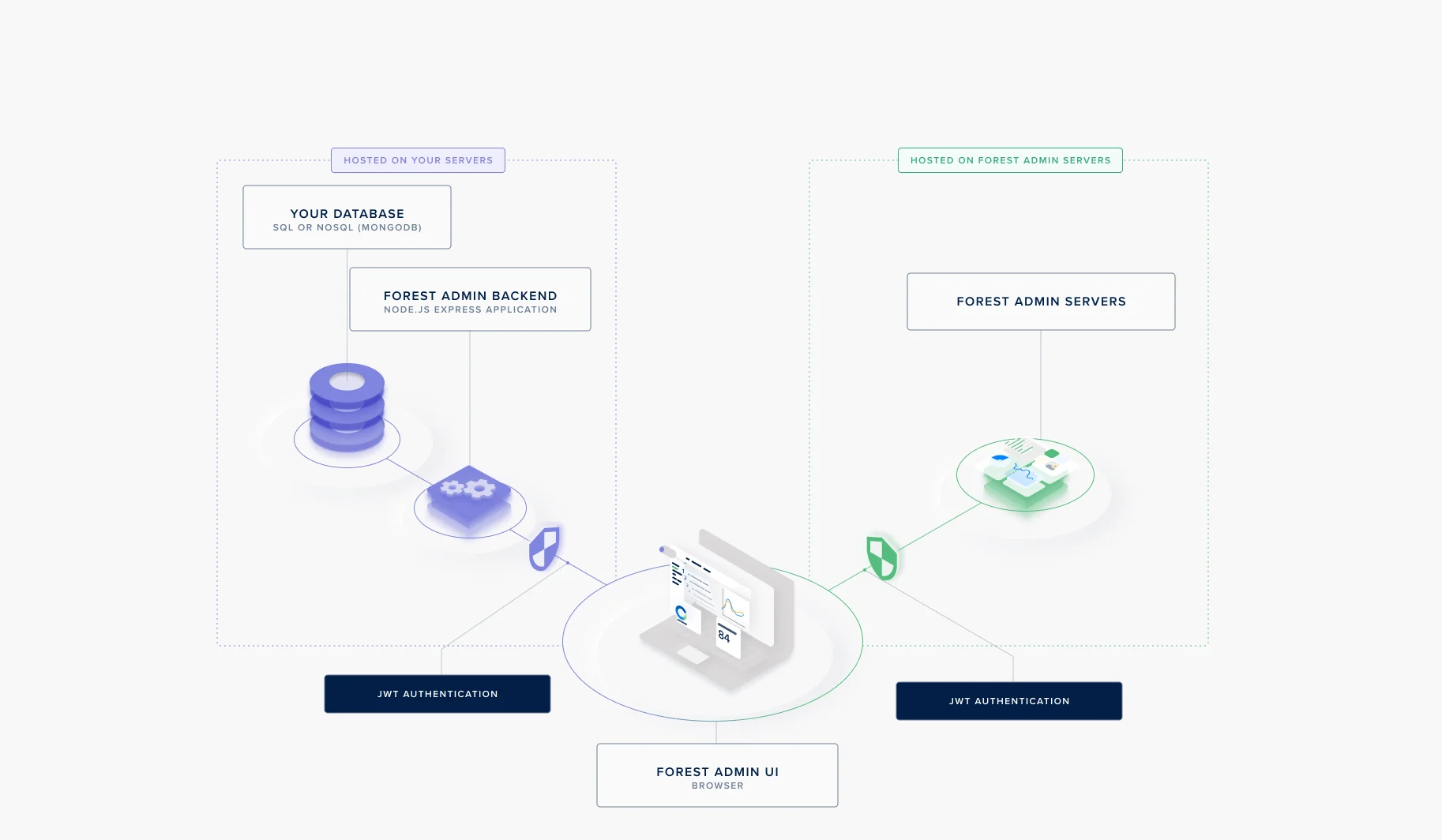
JWT token issuance and validation flow
- User ID
- Full name
- Role
- Team
- Tags
- Permissions
- Custom authorization logic in your Back-end
- Audit logging
- Dynamic filtering based on user context
- Integration with your internal systems
Infrastructure flexibility
You maintain complete control over your Back-end deployment: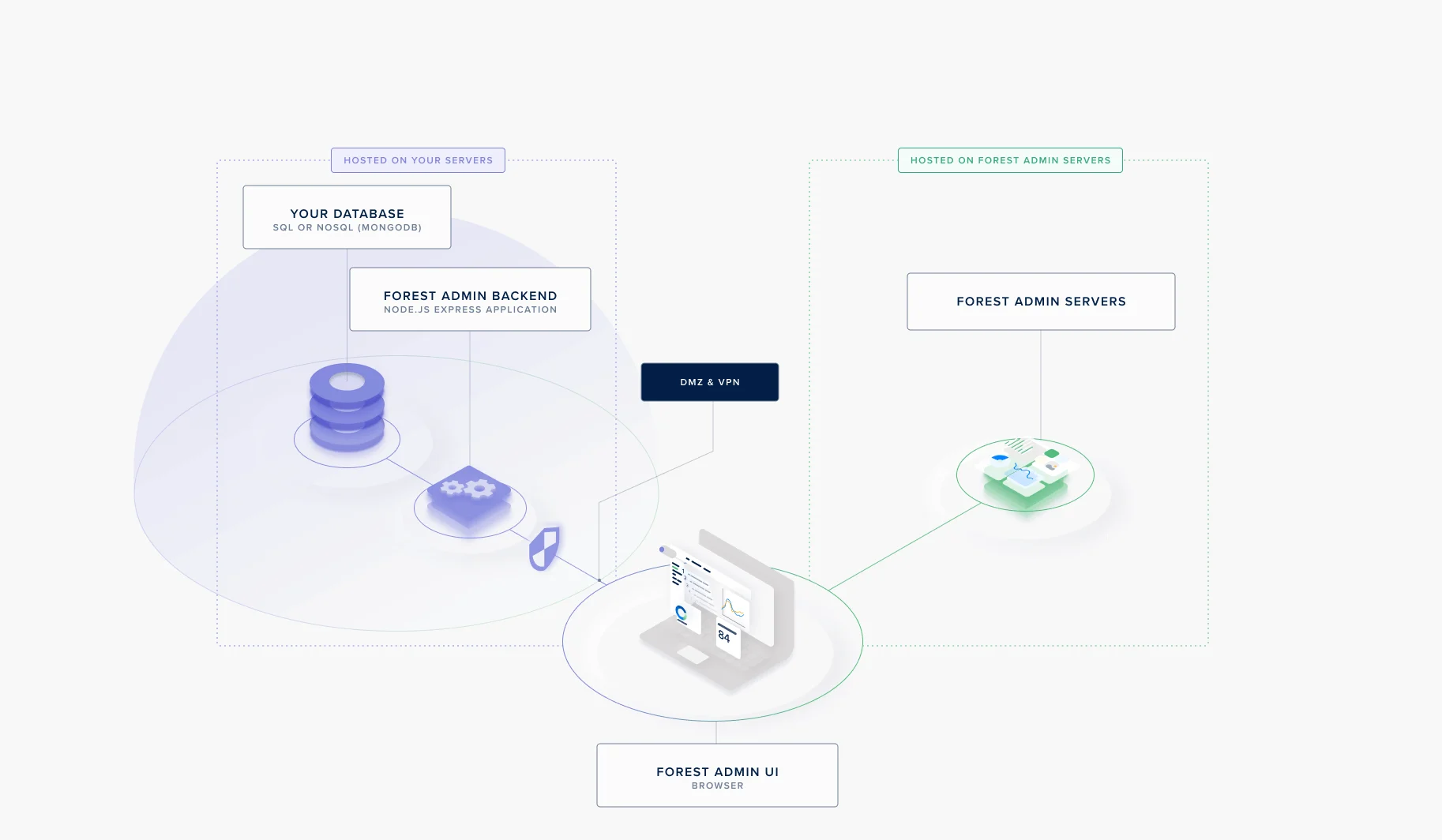
Deploying the Forest agent behind a DMZ or VPN
- DMZ (Demilitarized Zone): Deploy Back-end in isolated network segment
- VPN: Require VPN connection to access Back-end
- Private Cloud: Deploy within your private cloud infrastructure
- On-Premise: Keep everything within your data center
- Configure firewall rules
- Set up network segmentation
- Implement reverse proxies
- Use TLS/SSL for all connections
HTTPS/TLS encryption
All communication is encrypted:- Browser ↔ Forest: HTTPS with TLS 1.2+
- Browser ↔ Your Back-end: HTTPS (you configure)
- Back-end ↔ Forest: HTTPS with TLS 1.2+