

/models. They control a big part of your Forest UI.
Reflecting your database changes in your UI
When you install for the first time, Lumber introspects your database and generates your models accordingly. Afterwards, here’s how your database changes can be rendered in your Forest UI: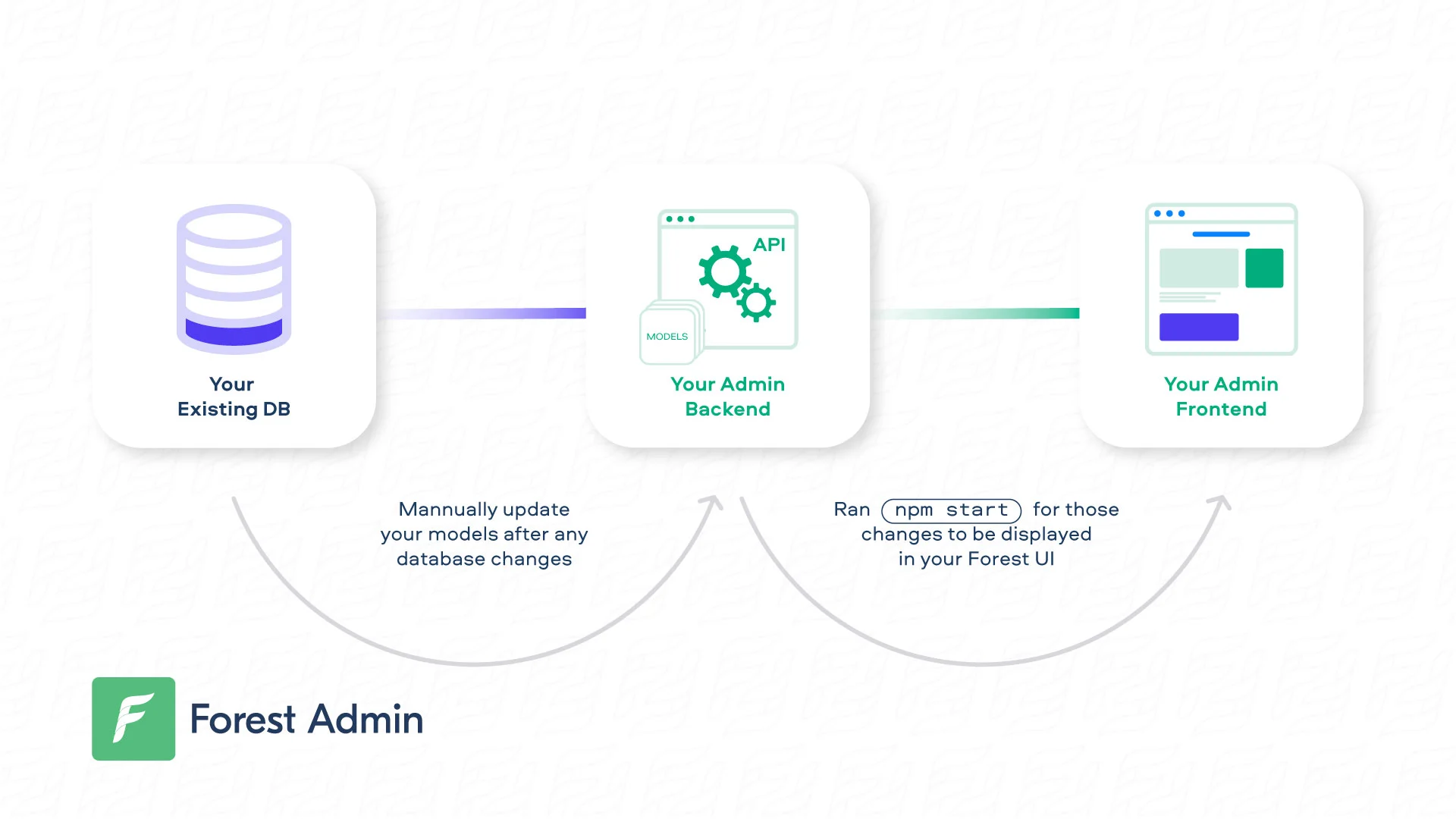
Updating your models automatically
If you made many changes or even added a new table/collection, we recently reintroduced a programmatic way to help you manage the associated file changes: Version 2.2+ of Forest CLI allows you via itsschema:update command to:
- Generate files which, after introspecting your database, appear to be missing in your folders (
models,routes&forest). Eg. Adding a new table and launchingschema:updatewithin your project directory should generate the associated models/routes & forest files - Generate a correct project architecture to easily manage multiple databases. After your onboarding (on a single database), update the
config/databases.jsfile to add a new connection, launchschema:updateand your models should be set correctly
forest schema:update options are as follows:
-cor--config, allowing to specify a path for the config file to user (Default to./config/databases.js)-oor--output-directory: Create a directory named after the config parameter provided. It will also redump all themodels/routes/forestfile in a specific directory, allowing the end-user to pick code modification.
.env should be, since it is required by config/databases.js file.
Have any models that will always stay hidden? Find out how you can exclude them and gain on performance.
Enriching your models
Lumber does some of the work for you. However, you remain in control of your models. On the following page, we’ll cover how you can enrich your models:The .forestadmin-schema.json file
On server start, a .forestadmin-schema.json file will be auto-generated in local (development) environments only. It reflects:
- the state of your models (in
/models). - your Forest customization (in
/forest).
This file must be versioned and deployed for any remote environment (staging, production, etc.), as it will be used to generate your Forest UI.
We use the environment variable NODE_ENV to detect if an environment is in development. Setting this variable to either nothing or development will regenerate a new .forestadmin-schema.json file every time your app restarts. Using another value will not regenerate the file.
.forestadmin-schema.json file will also help you visualize your changes.
To disable automatic Forest schema updates and do it manually, follow this how-to.