Loading performance is key to streamlining your operations. Here are a few steps we recommend taking to ensure your Forest is optimized.
Please find here all the hands-on best practices to keep your admin panel performant. Depending on your user’s needs, you might either hide or optimize some fields to limit the number of components, avoid a large datasets display or rework complex logic.You can display bellow performances improvement tricks in this video. For any further help to improve admin panel performances, get in touch with the community.
As you can see in the Loading time benchmark below, Smart fields can be quite costly in terms of loading performance. Limiting them to those you need is key.
2. Reduce the number of records per page3. Reduce the number of fields displayed
You can hide some fields in your table view; this will not prevent you from seeing them in the record details view.
Relationship fields are links to other collection records within your table view:Having Relationship fields can decrease your performance, especially if your tables have a lot of records. Therefore you should display only those you need and use!
Sometimes, searching in all fields is not relevant and may even result in big performance issues. You can restrict your search to specific fields only using the searchFields option.
SQL
Mongoose
Rails
Django
Laravel
In this example, we configure Forest to only search on the fields name and industry of our collection companies.
class Forest::BookCompaniesController < ForestLiana::AssociationsController def count if (params[:search]) params[:collection] = 'Book' params[:association_name] = 'company' super else deactivate_count_response end endend
namespace :forest do get '/Book/:id/relationships/companies/count' , to: 'book_companies#count'end
Furthermore, if you want to disable on all relationships at once:
class CustomDeactivateCountMiddleware(DeactivateCountMiddleware):

    def is_deactivated(self, request, view_func, *args, **kwargs):
        is_deactivated = super().is_deactivated(request, view_func, *args, **kwargs)
        return is_deactivated and 'search' not in request.GET
MIDDLEWARE = [ 'myproject.myapp.middlewares.CustomDeactivateCountMiddleware', # ...]# To deactivate the count on /apps_books/count if there is no search argumentFOREST = { # ..., DEACTIVATED_COUNT = [ 'apps_books', # apps_model ], # ...}
One more example: you may want to deactivate the pagination count request for a specific team:
SQL
Mongoose
Rails
router.get('/books/count', (request, response, next) => { // Count is deactivated for the Operations team if (request.user.team === 'Operations') { deactivateCountMiddleware(request, response); // Count is made for all other teams } else { next(); }});
router.get('/books/count', (request, response, next) => { // Count is deactivated for the Operations team if (request.user.team === 'Operations') { deactivateCountMiddleware(request, response); // Count is made for all other teams } else { next(); }});
class Forest::BooksController < ForestLiana::ResourcesController def count if forest_user['team'] == 'Operations' deactivate_count_response else params[:collection] = 'Book' super end endend
Indexes are a powerful tool used in the background of a database to speed up querying. It power queries by providing a method to quickly lookup the requested data. As Forest generates SQL queries to fetch your data, creating indexes can improve the query response time.5. Index the Primary and Unique Key Columns
The syntax for creating an index will vary depending on the database. However, the syntax typically includes a CREATE keyword followed by the INDEX keyword and the name we’d like to use for the index. Next should come the ON keyword followed by the name of the table that has the data we’d like to quickly access. Finally, the last part of the statement should be the name(s) of the columns to be indexed.
CREATE INDEX <index_name>ON <table_name> (column1, column2, ...)
For example, if we would like to index phone numbers from a customers table, we could use the following statement:
CREATE INDEX customers_by_phoneON customers (phone_number)
The users cannot see the indexes, they are just used to speed up searches/queries.6. Index the Foreign Key ColumnsForeign key columns should be indexed if they are used intensively in Smart fields. In the table below, you can see how drastically it reduces the loading time of the page.
Updating a table with indexes takes more time than updating a table without (because the indexes also need an update). So, only create indexes on columns that will be frequently searched against.
Below is the outcome of a performance test on page load time of the Table view. It highlights the importance of using indexes and limiting the number of columns and lines.
Was this page helpful?
{"docsConfig":{"theme":"mint","$schema":"https://mintlify.com/docs.json","name":"Forest Documentation","colors":{"primary":"#3F5B1E","light":"#DDF327","dark":"#3F5B1E"},"logo":{"light":"https://mintcdn.com/forest/ZO8t9buUjTuKyt-F/images/Standard.svg?fit=max\u0026auto=format\u0026n=ZO8t9buUjTuKyt-F\u0026q=85\u0026s=d4e172941c964df57009cfa8be809b96","dark":"https://mintcdn.com/forest/ZO8t9buUjTuKyt-F/images/LIME.svg?fit=max\u0026auto=format\u0026n=ZO8t9buUjTuKyt-F\u0026q=85\u0026s=91e95470256b93527860cba6c206cbc4"},"favicon":{"light":"https://mintcdn.com/forest/ZO8t9buUjTuKyt-F/images/Standard.svg?fit=max\u0026auto=format\u0026n=ZO8t9buUjTuKyt-F\u0026q=85\u0026s=d4e172941c964df57009cfa8be809b96","dark":"https://mintcdn.com/forest/ZO8t9buUjTuKyt-F/images/LIME.svg?fit=max\u0026auto=format\u0026n=ZO8t9buUjTuKyt-F\u0026q=85\u0026s=91e95470256b93527860cba6c206cbc4"},"navbar":{"links":[{"href":"mailto:support@forestadmin.com","label":"Support"}],"primary":{"type":"button","label":"Dashboard","href":"https://app.forestadmin.com"}},"footer":{"socials":{"twitter":"https://twitter.com/forest_admin","github":"https://github.com/ForestAdmin","linkedin":"https://linkedin.com/company/forestadmin"}},"contextual":{"options":["copy","view","claude","cursor","vscode"],"display":"header"},"styling":{"latex":false},"navigation":{"pages":[]}},"deployment":{"deploymentMetadataValue":{"subdomain":"forest","hasAudioNarration":false,"actualSubdomain":"forest","customDomains":["docs.forest.app"],"gitSource":{"type":"github","owner":"forestadmin","repo":"docs","deployBranch":"main","contentDirectory":"","isPrivate":true,"mountPath":"","label":""},"chroma":{"liveDeploymentHistoryId":"6adf6d816c71dd37a9886272","collectionId":"9dc51c9e-d6b1-40fa-91f8-b482cc9be35c","schemaVersion":"v3","latestBuiltDeploymentHistoryId":"6adf6d816c71dd37a9886272"},"feedback":{"thumbs":true},"entitlements":{"AI_CHAT":{"status":"ENABLED"},"REMOVE_BRANDING":{"status":"DISABLED"},"CONTEXTUAL_FEEDBACK":{"status":"DISABLED"},"CODE_SNIPPET_FEEDBACK":{"status":"DISABLED"},"WEB_MCP":{"status":"ENABLED"},"NARRATION":{"status":"ENABLED"}},"buildId":"6adf6d816c71dd37a9886272","clientVersion":"0.0.3966","searchFilterCounts":[{"language":"default","tag":"Legacy","count":289},{"language":"default","tag":"JavaScript Agents","count":141},{"language":"default","tag":"Ruby Agent","count":140},{"language":"default","tag":"Product","count":113},{"language":"default","tag":"Integrations","count":64},{"language":"default","tag":"Actions","count":48},{"language":"default","tag":"Smart Action Examples","count":34},{"language":"default","tag":"Process","count":32},{"language":"default","tag":"Upgrade","count":31},{"language":"default","tag":"Connect","count":30}]},"assistantConfig":{"enableAskAiButton":false,"enableStarterQuestions":false,"enableAskAiSearchBar":true,"deflection":{"enabled":true,"email":"support@forestadmin.com"}},"hasChatPermissions":true,"hasWebMcpPermissions":true,"toggles":[{"name":"kill-isr","enabled":true,"variant":{"name":"disabled","enabled":false,"feature_enabled":true},"impressionData":false},{"name":"agent-mintlify-slack","enabled":true,"variant":{"name":"disabled","enabled":false,"feature_enabled":true},"impressionData":false},{"name":"editor-v7-file-tree","enabled":true,"variant":{"name":"disabled","enabled":false,"feature_enabled":true},"impressionData":false},{"name":"agent-integrations-settings","enabled":true,"variant":{"name":"disabled","enabled":false,"feature_enabled":true},"impressionData":false},{"name":"automations-pr-grouping","enabled":true,"variant":{"name":"disabled","enabled":false,"feature_enabled":true},"impressionData":false},{"name":"custom-prefix","enabled":true,"variant":{"name":"disabled","enabled":false,"feature_enabled":true},"impressionData":false},{"name":"analytics-v7","enabled":true,"variant":{"name":"disabled","enabled":false,"feature_enabled":true},"impressionData":false},{"name":"user-flows-analytics","enabled":true,"variant":{"name":"disabled","enabled":false,"feature_enabled":true},"impressionData":false},{"name":"no-publish-flow","enabled":true,"variant":{"name":"disabled","enabled":false,"feature_enabled":true},"impressionData":false},{"name":"workos-onboarding","enabled":true,"variant":{"name":"disabled","enabled":false,"feature_enabled":true},"impressionData":false},{"name":"llms-txt-v2","enabled":true,"variant":{"name":"disabled","enabled":false,"feature_enabled":true},"impressionData":false},{"name":"pause-universal-search-reconcile","enabled":true,"variant":{"name":"disabled","enabled":false,"feature_enabled":true},"impressionData":false},{"name":"snapshot-serving-live","enabled":true,"variant":{"name":"disabled","enabled":false,"feature_enabled":true},"impressionData":false},{"name":"stripTemperatureMiddleware","enabled":true,"variant":{"name":"disabled","enabled":false,"feature_enabled":true},"impressionData":false},{"name":"per-site-search-delta","enabled":true,"variant":{"name":"disabled","enabled":false,"feature_enabled":true},"impressionData":false},{"name":"support-platform-pylon-zendesk","enabled":true,"variant":{"name":"disabled","enabled":false,"feature_enabled":true},"impressionData":false},{"name":"snapshot-serving","enabled":true,"variant":{"name":"disabled","enabled":false,"feature_enabled":true},"impressionData":false},{"name":"instant-rollback","enabled":true,"variant":{"name":"disabled","enabled":false,"feature_enabled":true},"impressionData":false},{"name":"granular-notifications-server","enabled":true,"variant":{"name":"disabled","enabled":false,"feature_enabled":true},"impressionData":false},{"name":"granular-notifications","enabled":true,"variant":{"name":"disabled","enabled":false,"feature_enabled":true},"impressionData":false},{"name":"editor-private-page-search","enabled":true,"variant":{"name":"disabled","enabled":false,"feature_enabled":true},"impressionData":false},{"name":"automations-fable","enabled":true,"variant":{"name":"disabled","enabled":false,"feature_enabled":true},"impressionData":false},{"name":"fixed-ai-action-pricing","enabled":true,"variant":{"name":"disabled","enabled":false,"feature_enabled":true},"impressionData":false},{"name":"automation-resolve-merge-conflict","enabled":true,"variant":{"name":"disabled","enabled":false,"feature_enabled":true},"impressionData":false},{"name":"scoped-publishing","enabled":true,"variant":{"name":"disabled","enabled":false,"feature_enabled":true},"impressionData":false},{"name":"mintql","enabled":true,"variant":{"name":"disabled","enabled":false,"feature_enabled":true},"impressionData":false},{"name":"page-level-analytics","enabled":true,"variant":{"name":"disabled","enabled":false,"feature_enabled":true},"impressionData":false},{"name":"editor-version-history-v2","enabled":true,"variant":{"name":"disabled","enabled":false,"feature_enabled":true},"impressionData":false},{"name":"editor-nav-generations","enabled":true,"variant":{"name":"disabled","enabled":false,"feature_enabled":true},"impressionData":false},{"name":"billing-page-v2","enabled":true,"variant":{"name":"disabled","enabled":false,"feature_enabled":true},"impressionData":false},{"name":"workspace-projects","enabled":true,"variant":{"name":"disabled","enabled":false,"feature_enabled":true},"impressionData":false},{"name":"assistant-v5","enabled":true,"variant":{"name":"disabled","enabled":false,"feature_enabled":true},"impressionData":false},{"name":"byok-sep-25","enabled":true,"variant":{"name":"disabled","enabled":false,"feature_enabled":true},"impressionData":false},{"name":"fork-pr-previews","enabled":true,"variant":{"name":"disabled","enabled":false,"feature_enabled":true},"impressionData":false},{"name":"revalidation-jwt","enabled":true,"variant":{"name":"disabled","enabled":false,"feature_enabled":true},"impressionData":false},{"name":"vite-origin","enabled":true,"variant":{"name":"disabled","enabled":false,"feature_enabled":true},"impressionData":false},{"name":"editor-agent-model-picker","enabled":true,"variant":{"name":"disabled","enabled":false,"feature_enabled":true},"impressionData":false},{"name":"billing-updated-9-15","enabled":true,"variant":{"name":"disabled","enabled":false,"feature_enabled":true},"impressionData":false},{"name":"hobby-abuse-scan","enabled":true,"variant":{"name":"disabled","enabled":false,"feature_enabled":true},"impressionData":false},{"name":"dashboard-inbox","enabled":true,"variant":{"name":"disabled","enabled":false,"feature_enabled":true},"impressionData":false}],"isAtlas":false,"googleFontsInlined":false},"customCss":[],"page":{"pagePath":"legacy/javascript-agents/reference-guide/performance","slug":"/legacy/javascript-agents/reference-guide/performance","pageMetadata":{"title":"Performance","description":"Loading performance is key to streamlining your operations. Here are a few steps we recommend taking to ensure your Forest is optimized.","href":"/legacy/javascript-agents/reference-guide/performance"},"description":{"compiledSource":"\"use strict\";\nconst {jsx: _jsx} = arguments[0];\nconst {useMDXComponents: _provideComponents} = arguments[0];\nfunction _createMdxContent(props) {\n const _components = {\n p: \"p\",\n ..._provideComponents(),\n ...props.components\n };\n return _jsx(_components.p, {\n children: \"Loading performance is key to streamlining your operations. Here are a few steps we recommend taking to ensure your Forest is optimized.\"\n });\n}\nfunction MDXContent(props = {}) {\n const {wrapper: MDXLayout} = {\n ..._provideComponents(),\n ...props.components\n };\n return MDXLayout ? _jsx(MDXLayout, {\n ...props,\n children: _jsx(_createMdxContent, {\n ...props\n })\n }) : _createMdxContent(props);\n}\nreturn {\n default: MDXContent\n};\n","frontmatter":{},"scope":{}},"pageType":"default","mdx":{"mdxSource":{"compiledSource":"\"use strict\";const{Fragment:_Fragment,jsx:_jsx,jsxs:_jsxs}=arguments[0];const{useMDXComponents:_provideComponents}=arguments[0];function _createMdxContent(props){const _components={a:`a`,br:`br`,code:`code`,em:`em`,li:`li`,p:`p`,pre:`pre`,span:`span`,strong:`strong`,ul:`ul`,..._provideComponents(),...props.components},{CodeBlock,Heading,Info,OptimizedImage,Tab,Tabs,Warning}=_components;if(!CodeBlock)_missingMdxReference(`CodeBlock`,true);if(!Heading)_missingMdxReference(`Heading`,true);if(!Info)_missingMdxReference(`Info`,true);if(!OptimizedImage)_missingMdxReference(`OptimizedImage`,true);if(!Tab)_missingMdxReference(`Tab`,true);if(!Tabs)_missingMdxReference(`Tabs`,true);if(!Warning)_missingMdxReference(`Warning`,true);return _jsxs(_Fragment,{children:[_jsx(_components.p,{children:`Please find here all the hands-on best practices to keep your admin panel performant. Depending on your user’s needs, you might either hide or optimize some fields to limit the number of components, avoid a large datasets display or rework complex logic.`}),`\n`,_jsxs(_components.p,{children:[`You can display bellow performances improvement tricks in `,_jsx(_components.a,{href:`https://www.youtube.com/watch?v=UC5nH8q5YUI`,children:`this video`}),`. For any further help to improve admin panel performances, get in touch with `,_jsx(_components.a,{href:`https://community.forestadmin.com`,children:`the community`}),`.`]}),`\n`,_jsx(Heading,{level:`3`,id:`layout-optimization`,children:`Layout optimization`}),`\n`,_jsxs(_components.p,{children:[`1. Show only `,_jsx(_components.a,{href:`https://docs.forestadmin.com/documentation/reference-guide/fields/create-and-manage-smart-fields`,children:`Smart fields`}),` you absolutely need.`]}),`\n`,_jsx(Warning,{children:_jsxs(_components.p,{children:[`As you can see in the `,_jsx(_components.a,{href:`/legacy/javascript-agents/reference-guide/performance#loading-time-benchmark`,children:`Loading time benchmark`}),` below, Smart fields can be quite `,_jsx(_components.strong,{children:`costly`}),` in terms of loading performance. Limiting them to those you need is key.`]})}),`\n`,_jsx(_components.p,{children:`2. Reduce the number of records per page`}),`\n`,_jsx(OptimizedImage,{src:`https://mintcdn.com/forest/qFIlQ-TfU5KAw1-I/images/legacy/javascript-agents/screenshot%202019-07-01%20at%2017.47.06.png?fit=max\u0026auto=format\u0026n=qFIlQ-TfU5KAw1-I\u0026q=85\u0026s=8c4e10d5476fd8907e019b9e2283bcb9`,alt:``,\"data-og-width\":`1920`,width:`1920`,\"data-og-height\":`969`,height:`969`,\"data-path\":`images/legacy/javascript-agents/screenshot 2019-07-01 at 17.47.06.png`,\"data-optimize\":`true`,\"data-opv\":`3`,srcset:`https://mintcdn.com/forest/qFIlQ-TfU5KAw1-I/images/legacy/javascript-agents/screenshot%202019-07-01%20at%2017.47.06.png?w=280\u0026fit=max\u0026auto=format\u0026n=qFIlQ-TfU5KAw1-I\u0026q=85\u0026s=78b96ecfc5716549da76b2da94261c52 280w, https://mintcdn.com/forest/qFIlQ-TfU5KAw1-I/images/legacy/javascript-agents/screenshot%202019-07-01%20at%2017.47.06.png?w=560\u0026fit=max\u0026auto=format\u0026n=qFIlQ-TfU5KAw1-I\u0026q=85\u0026s=16397cf912a269b1e52047331128d23f 560w, https://mintcdn.com/forest/qFIlQ-TfU5KAw1-I/images/legacy/javascript-agents/screenshot%202019-07-01%20at%2017.47.06.png?w=840\u0026fit=max\u0026auto=format\u0026n=qFIlQ-TfU5KAw1-I\u0026q=85\u0026s=5be45376662ed6dd3f79f6b606b8d529 840w, https://mintcdn.com/forest/qFIlQ-TfU5KAw1-I/images/legacy/javascript-agents/screenshot%202019-07-01%20at%2017.47.06.png?w=1100\u0026fit=max\u0026auto=format\u0026n=qFIlQ-TfU5KAw1-I\u0026q=85\u0026s=fb1ecb8cb8494c38ef0605672eade63e 1100w, https://mintcdn.com/forest/qFIlQ-TfU5KAw1-I/images/legacy/javascript-agents/screenshot%202019-07-01%20at%2017.47.06.png?w=1650\u0026fit=max\u0026auto=format\u0026n=qFIlQ-TfU5KAw1-I\u0026q=85\u0026s=2d1f8a57299190d43d1fa160c1a42de1 1650w, https://mintcdn.com/forest/qFIlQ-TfU5KAw1-I/images/legacy/javascript-agents/screenshot%202019-07-01%20at%2017.47.06.png?w=2500\u0026fit=max\u0026auto=format\u0026n=qFIlQ-TfU5KAw1-I\u0026q=85\u0026s=3f0789c5f9739b013ac6335b504296ea 2500w`}),`\n`,_jsx(_components.p,{children:`3. Reduce the number of fields displayed`}),`\n`,_jsx(OptimizedImage,{src:`https://mintcdn.com/forest/qFIlQ-TfU5KAw1-I/images/legacy/javascript-agents/screenshot%202019-07-01%20at%2017.47.55%20(1).png?fit=max\u0026auto=format\u0026n=qFIlQ-TfU5KAw1-I\u0026q=85\u0026s=0cb2f7d99c3a0db861cb00f279f7c533`,alt:``,\"data-og-width\":`1920`,width:`1920`,\"data-og-height\":`969`,height:`969`,\"data-path\":`images/legacy/javascript-agents/screenshot 2019-07-01 at 17.47.55 (1).png`,\"data-optimize\":`true`,\"data-opv\":`3`,srcset:`https://mintcdn.com/forest/qFIlQ-TfU5KAw1-I/images/legacy/javascript-agents/screenshot%202019-07-01%20at%2017.47.55%20(1).png?w=280\u0026fit=max\u0026auto=format\u0026n=qFIlQ-TfU5KAw1-I\u0026q=85\u0026s=acf4dabedb376fa81395a845968d1490 280w, https://mintcdn.com/forest/qFIlQ-TfU5KAw1-I/images/legacy/javascript-agents/screenshot%202019-07-01%20at%2017.47.55%20(1).png?w=560\u0026fit=max\u0026auto=format\u0026n=qFIlQ-TfU5KAw1-I\u0026q=85\u0026s=4345a3873901bb7d8c38f34bb3d5069d 560w, https://mintcdn.com/forest/qFIlQ-TfU5KAw1-I/images/legacy/javascript-agents/screenshot%202019-07-01%20at%2017.47.55%20(1).png?w=840\u0026fit=max\u0026auto=format\u0026n=qFIlQ-TfU5KAw1-I\u0026q=85\u0026s=ea2be5161dafbe64ca65223256a454db 840w, https://mintcdn.com/forest/qFIlQ-TfU5KAw1-I/images/legacy/javascript-agents/screenshot%202019-07-01%20at%2017.47.55%20(1).png?w=1100\u0026fit=max\u0026auto=format\u0026n=qFIlQ-TfU5KAw1-I\u0026q=85\u0026s=995fd6d84e5b8db528a117fc021dadcc 1100w, https://mintcdn.com/forest/qFIlQ-TfU5KAw1-I/images/legacy/javascript-agents/screenshot%202019-07-01%20at%2017.47.55%20(1).png?w=1650\u0026fit=max\u0026auto=format\u0026n=qFIlQ-TfU5KAw1-I\u0026q=85\u0026s=cc894721fc2e36d6e119209c9a41e1cf 1650w, https://mintcdn.com/forest/qFIlQ-TfU5KAw1-I/images/legacy/javascript-agents/screenshot%202019-07-01%20at%2017.47.55%20(1).png?w=2500\u0026fit=max\u0026auto=format\u0026n=qFIlQ-TfU5KAw1-I\u0026q=85\u0026s=4e91c0e8844643746dd162fb7ee18295 2500w`}),`\n`,_jsx(Info,{children:_jsx(_components.p,{children:`You can hide some fields in your table view; this will not prevent you from seeing them in the record details view.`})}),`\n`,_jsx(_components.p,{children:`Relationship fields are links to other collection records within your table view:`}),`\n`,_jsx(OptimizedImage,{src:`https://mintcdn.com/forest/qFIlQ-TfU5KAw1-I/images/legacy/javascript-agents/screenshot%202019-07-01%20at%2017.49.03.png?fit=max\u0026auto=format\u0026n=qFIlQ-TfU5KAw1-I\u0026q=85\u0026s=a5eb82bb19ae5934302ee2c4158ef24a`,alt:``,\"data-og-width\":`1920`,width:`1920`,\"data-og-height\":`969`,height:`969`,\"data-path\":`images/legacy/javascript-agents/screenshot 2019-07-01 at 17.49.03.png`,\"data-optimize\":`true`,\"data-opv\":`3`,srcset:`https://mintcdn.com/forest/qFIlQ-TfU5KAw1-I/images/legacy/javascript-agents/screenshot%202019-07-01%20at%2017.49.03.png?w=280\u0026fit=max\u0026auto=format\u0026n=qFIlQ-TfU5KAw1-I\u0026q=85\u0026s=9a67dc5c31065c7366c279536f1715ad 280w, https://mintcdn.com/forest/qFIlQ-TfU5KAw1-I/images/legacy/javascript-agents/screenshot%202019-07-01%20at%2017.49.03.png?w=560\u0026fit=max\u0026auto=format\u0026n=qFIlQ-TfU5KAw1-I\u0026q=85\u0026s=427c62e81062abf9ce02d69e7641327d 560w, https://mintcdn.com/forest/qFIlQ-TfU5KAw1-I/images/legacy/javascript-agents/screenshot%202019-07-01%20at%2017.49.03.png?w=840\u0026fit=max\u0026auto=format\u0026n=qFIlQ-TfU5KAw1-I\u0026q=85\u0026s=3cbaa24df6de8e11f03db75eb2a64470 840w, https://mintcdn.com/forest/qFIlQ-TfU5KAw1-I/images/legacy/javascript-agents/screenshot%202019-07-01%20at%2017.49.03.png?w=1100\u0026fit=max\u0026auto=format\u0026n=qFIlQ-TfU5KAw1-I\u0026q=85\u0026s=733192e6628975eda8362821de93262b 1100w, https://mintcdn.com/forest/qFIlQ-TfU5KAw1-I/images/legacy/javascript-agents/screenshot%202019-07-01%20at%2017.49.03.png?w=1650\u0026fit=max\u0026auto=format\u0026n=qFIlQ-TfU5KAw1-I\u0026q=85\u0026s=1784c8bf877e661639659d6f3abf99b1 1650w, https://mintcdn.com/forest/qFIlQ-TfU5KAw1-I/images/legacy/javascript-agents/screenshot%202019-07-01%20at%2017.49.03.png?w=2500\u0026fit=max\u0026auto=format\u0026n=qFIlQ-TfU5KAw1-I\u0026q=85\u0026s=c3adbab713edd14568df86693bdd82e6 2500w`}),`\n`,_jsx(_components.p,{children:`Having Relationship fields can decrease your performance, especially if your tables have a lot of records. Therefore you should display only those you need and use!`}),`\n`,_jsx(Heading,{level:`3`,id:`optimize-smart-fields-performance`,children:`Optimize smart fields performance`}),`\n`,_jsxs(_components.p,{children:[`To optimize your smart field performances, please check out `,_jsx(_components.a,{href:`/legacy/javascript-agents/reference-guide/smart-fields/overview#createadvancedsmartfield`,children:`this section`}),`.`]}),`\n`,_jsx(Heading,{level:`3`,id:`restrict-search-on-specific-fields`,children:`Restrict search on specific fields`}),`\n`,_jsxs(_components.p,{children:[`Sometimes, searching in all fields is not relevant and may even result in big performance issues. You can restrict your search to specific fields only using the `,_jsx(_components.code,{children:`searchFields`}),` option.`]}),`\n`,_jsxs(Tabs,{children:[_jsxs(Tab,{title:`SQL`,id:`sql`,children:[_jsxs(_components.p,{children:[`In this example, we configure Forest to only search on the fields `,_jsx(_components.code,{children:`name`}),` and `,_jsx(_components.code,{children:`industry`}),` of our collection `,_jsx(_components.code,{children:`companies`}),`.`]}),_jsx(CodeBlock,{filename:``,numberOfLines:`5`,language:`javascript`,children:_jsx(_components.pre,{className:`shiki shiki-themes github-light-default dark-plus`,style:{backgroundColor:`#ffffff`,\"--shiki-dark-bg\":`#0B0C0E`,color:`#1f2328`,\"--shiki-dark\":`#D4D4D4`},language:`javascript`,children:_jsxs(_components.code,{language:`javascript`,numberOfLines:`5`,children:[_jsxs(_components.span,{className:`line`,children:[_jsx(_components.span,{style:{color:`#CF222E`,\"--shiki-dark\":`#569CD6`},children:`const`}),_jsx(_components.span,{style:{color:`#1F2328`,\"--shiki-dark\":`#D4D4D4`},children:` { `}),_jsx(_components.span,{style:{color:`#0550AE`,\"--shiki-dark\":`#4FC1FF`},children:`collection`}),_jsx(_components.span,{style:{color:`#1F2328`,\"--shiki-dark\":`#D4D4D4`},children:` } `}),_jsx(_components.span,{style:{color:`#CF222E`,\"--shiki-dark\":`#D4D4D4`},children:`=`}),_jsx(_components.span,{style:{color:`#8250DF`,\"--shiki-dark\":`#DCDCAA`},children:` require`}),_jsx(_components.span,{style:{color:`#1F2328`,\"--shiki-dark\":`#D4D4D4`},children:`(`}),_jsx(_components.span,{style:{color:`#0A3069`,\"--shiki-dark\":`#CE9178`},children:`'forest-express-sequelize'`}),_jsx(_components.span,{style:{color:`#1F2328`,\"--shiki-dark\":`#D4D4D4`},children:`);`})]}),`\n`,_jsx(_components.span,{className:`line`,children:_jsx(_components.span,{style:{color:`#1F2328`,\"--shiki-dark\":`#D4D4D4`},children:``})}),`\n`,_jsxs(_components.span,{className:`line`,children:[_jsx(_components.span,{style:{color:`#8250DF`,\"--shiki-dark\":`#DCDCAA`},children:`collection`}),_jsx(_components.span,{style:{color:`#1F2328`,\"--shiki-dark\":`#D4D4D4`},children:`(`}),_jsx(_components.span,{style:{color:`#0A3069`,\"--shiki-dark\":`#CE9178`},children:`'companies'`}),_jsx(_components.span,{style:{color:`#1F2328`,\"--shiki-dark\":`#D4D4D4`},children:`, {`})]}),`\n`,_jsxs(_components.span,{className:`line`,children:[_jsx(_components.span,{style:{color:`#1F2328`,\"--shiki-dark\":`#9CDCFE`},children:` searchFields:`}),_jsx(_components.span,{style:{color:`#1F2328`,\"--shiki-dark\":`#D4D4D4`},children:` [`}),_jsx(_components.span,{style:{color:`#0A3069`,\"--shiki-dark\":`#CE9178`},children:`'name'`}),_jsx(_components.span,{style:{color:`#1F2328`,\"--shiki-dark\":`#D4D4D4`},children:`, `}),_jsx(_components.span,{style:{color:`#0A3069`,\"--shiki-dark\":`#CE9178`},children:`'industry'`}),_jsx(_components.span,{style:{color:`#1F2328`,\"--shiki-dark\":`#D4D4D4`},children:`],`})]}),`\n`,_jsx(_components.span,{className:`line`,children:_jsx(_components.span,{style:{color:`#1F2328`,\"--shiki-dark\":`#D4D4D4`},children:`});`})}),`\n`]})})})]}),_jsxs(Tab,{title:`Mongoose`,id:`mongoose`,children:[_jsxs(_components.p,{children:[`In this example, we configure Forest to only search on the fields `,_jsx(_components.code,{children:`name`}),` and `,_jsx(_components.code,{children:`industry`}),` of our collection `,_jsx(_components.code,{children:`companies`}),`.`]}),_jsx(CodeBlock,{filename:``,numberOfLines:`5`,language:`javascript`,children:_jsx(_components.pre,{className:`shiki shiki-themes github-light-default dark-plus`,style:{backgroundColor:`#ffffff`,\"--shiki-dark-bg\":`#0B0C0E`,color:`#1f2328`,\"--shiki-dark\":`#D4D4D4`},language:`javascript`,children:_jsxs(_components.code,{language:`javascript`,numberOfLines:`5`,children:[_jsxs(_components.span,{className:`line`,children:[_jsx(_components.span,{style:{color:`#CF222E`,\"--shiki-dark\":`#569CD6`},children:`const`}),_jsx(_components.span,{style:{color:`#1F2328`,\"--shiki-dark\":`#D4D4D4`},children:` { `}),_jsx(_components.span,{style:{color:`#0550AE`,\"--shiki-dark\":`#4FC1FF`},children:`collection`}),_jsx(_components.span,{style:{color:`#1F2328`,\"--shiki-dark\":`#D4D4D4`},children:` } `}),_jsx(_components.span,{style:{color:`#CF222E`,\"--shiki-dark\":`#D4D4D4`},children:`=`}),_jsx(_components.span,{style:{color:`#8250DF`,\"--shiki-dark\":`#DCDCAA`},children:` require`}),_jsx(_components.span,{style:{color:`#1F2328`,\"--shiki-dark\":`#D4D4D4`},children:`(`}),_jsx(_components.span,{style:{color:`#0A3069`,\"--shiki-dark\":`#CE9178`},children:`'forest-express-mongoose'`}),_jsx(_components.span,{style:{color:`#1F2328`,\"--shiki-dark\":`#D4D4D4`},children:`);`})]}),`\n`,_jsx(_components.span,{className:`line`,children:_jsx(_components.span,{style:{color:`#1F2328`,\"--shiki-dark\":`#D4D4D4`},children:``})}),`\n`,_jsxs(_components.span,{className:`line`,children:[_jsx(_components.span,{style:{color:`#8250DF`,\"--shiki-dark\":`#DCDCAA`},children:`collection`}),_jsx(_components.span,{style:{color:`#1F2328`,\"--shiki-dark\":`#D4D4D4`},children:`(`}),_jsx(_components.span,{style:{color:`#0A3069`,\"--shiki-dark\":`#CE9178`},children:`'companies'`}),_jsx(_components.span,{style:{color:`#1F2328`,\"--shiki-dark\":`#D4D4D4`},children:`, {`})]}),`\n`,_jsxs(_components.span,{className:`line`,children:[_jsx(_components.span,{style:{color:`#1F2328`,\"--shiki-dark\":`#9CDCFE`},children:` searchFields:`}),_jsx(_components.span,{style:{color:`#1F2328`,\"--shiki-dark\":`#D4D4D4`},children:` [`}),_jsx(_components.span,{style:{color:`#0A3069`,\"--shiki-dark\":`#CE9178`},children:`'name'`}),_jsx(_components.span,{style:{color:`#1F2328`,\"--shiki-dark\":`#D4D4D4`},children:`, `}),_jsx(_components.span,{style:{color:`#0A3069`,\"--shiki-dark\":`#CE9178`},children:`'industry'`}),_jsx(_components.span,{style:{color:`#1F2328`,\"--shiki-dark\":`#D4D4D4`},children:`],`})]}),`\n`,_jsx(_components.span,{className:`line`,children:_jsx(_components.span,{style:{color:`#1F2328`,\"--shiki-dark\":`#D4D4D4`},children:`});`})}),`\n`]})})})]}),_jsxs(Tab,{title:`Rails`,id:`rails`,children:[_jsxs(_components.p,{children:[`In this example, we configure Forest to only search on the fields `,_jsx(_components.code,{children:`name`}),` and `,_jsx(_components.code,{children:`industry`}),` of our collection `,_jsx(_components.code,{children:`Company`}),`.`]}),_jsx(CodeBlock,{filename:``,numberOfLines:`5`,language:`ruby`,children:_jsx(_components.pre,{className:`shiki shiki-themes github-light-default dark-plus`,style:{backgroundColor:`#ffffff`,\"--shiki-dark-bg\":`#0B0C0E`,color:`#1f2328`,\"--shiki-dark\":`#D4D4D4`},language:`ruby`,children:_jsxs(_components.code,{language:`ruby`,numberOfLines:`5`,children:[_jsxs(_components.span,{className:`line`,children:[_jsx(_components.span,{style:{color:`#CF222E`,\"--shiki-dark\":`#C586C0`},children:`class`}),_jsx(_components.span,{style:{color:`#953800`,\"--shiki-dark\":`#4EC9B0`},children:` Forest::BooksController`}),_jsx(_components.span,{style:{color:`#1F2328`,\"--shiki-dark\":`#D4D4D4`},children:` \u003c `}),_jsx(_components.span,{style:{color:`#0550AE`,\"--shiki-dark\":`#4EC9B0`},children:`ForestLiana::ResourcesController`})]}),`\n`,_jsxs(_components.span,{className:`line`,children:[_jsx(_components.span,{style:{color:`#CF222E`,\"--shiki-dark\":`#C586C0`},children:` def`}),_jsx(_components.span,{style:{color:`#8250DF`,\"--shiki-dark\":`#DCDCAA`},children:` count`})]}),`\n`,_jsx(_components.span,{className:`line`,children:_jsx(_components.span,{style:{color:`#1F2328`,\"--shiki-dark\":`#D4D4D4`},children:` deactivate_count_response`})}),`\n`,_jsx(_components.span,{className:`line`,children:_jsx(_components.span,{style:{color:`#CF222E`,\"--shiki-dark\":`#C586C0`},children:` end`})}),`\n`,_jsx(_components.span,{className:`line`,children:_jsx(_components.span,{style:{color:`#CF222E`,\"--shiki-dark\":`#C586C0`},children:`end`})}),`\n`]})})}),_jsxs(_components.ul,{children:[`\n`,_jsxs(_components.li,{children:[`adding a route in `,_jsx(_components.code,{children:`app/config/routes.rb`}),` before `,_jsx(_components.code,{children:`mount ForestLiana::Engine => '/forest'`})]}),`\n`]}),_jsx(CodeBlock,{filename:``,numberOfLines:`3`,language:`ruby`,children:_jsx(_components.pre,{className:`shiki shiki-themes github-light-default dark-plus`,style:{backgroundColor:`#ffffff`,\"--shiki-dark-bg\":`#0B0C0E`,color:`#1f2328`,\"--shiki-dark\":`#D4D4D4`},language:`ruby`,children:_jsxs(_components.code,{language:`ruby`,numberOfLines:`3`,children:[_jsxs(_components.span,{className:`line`,children:[_jsx(_components.span,{style:{color:`#1F2328`,\"--shiki-dark\":`#D4D4D4`},children:`namespace `}),_jsx(_components.span,{style:{color:`#0550AE`,\"--shiki-dark\":`#569CD6`},children:`:forest`}),_jsx(_components.span,{style:{color:`#CF222E`,\"--shiki-dark\":`#C586C0`},children:` do`})]}),`\n`,_jsxs(_components.span,{className:`line`,children:[_jsx(_components.span,{style:{color:`#1F2328`,\"--shiki-dark\":`#D4D4D4`},children:` get `}),_jsx(_components.span,{style:{color:`#0A3069`,\"--shiki-dark\":`#CE9178`},children:`'/Book/count'`}),_jsx(_components.span,{style:{color:`#1F2328`,\"--shiki-dark\":`#D4D4D4`},children:` , `}),_jsx(_components.span,{style:{color:`#0550AE`,\"--shiki-dark\":`#569CD6`},children:`to:`}),_jsx(_components.span,{style:{color:`#0A3069`,\"--shiki-dark\":`#CE9178`},children:` 'books#count'`})]}),`\n`,_jsx(_components.span,{className:`line`,children:_jsx(_components.span,{style:{color:`#CF222E`,\"--shiki-dark\":`#C586C0`},children:`end`})}),`\n`]})})})]}),_jsx(Tab,{title:`Django`,id:`django`,children:_jsx(_components.p,{children:`..adding the following middleware in settings.py and set the collection(s) to deactivate.`})}),_jsx(Tab,{title:`Laravel`,id:`laravel`,children:_jsxs(_components.p,{children:[`adding a route in `,_jsx(_components.code,{children:`app/routes/web.php`})]})})]}),`\n`,_jsx(_components.p,{children:`To disable the count request in the table of a relationship (Related data section):`}),`\n`,_jsxs(Tabs,{children:[_jsx(Tab,{title:`SQL`,id:`sql-2`,children:_jsx(CodeBlock,{filename:``,numberOfLines:`4`,language:`javascript`,children:_jsx(_components.pre,{className:`shiki shiki-themes github-light-default dark-plus`,style:{backgroundColor:`#ffffff`,\"--shiki-dark-bg\":`#0B0C0E`,color:`#1f2328`,\"--shiki-dark\":`#D4D4D4`},language:`javascript`,children:_jsxs(_components.code,{language:`javascript`,numberOfLines:`4`,children:[_jsxs(_components.span,{className:`line`,children:[_jsx(_components.span,{style:{color:`#1F2328`,\"--shiki-dark\":`#9CDCFE`},children:`router`}),_jsx(_components.span,{style:{color:`#1F2328`,\"--shiki-dark\":`#D4D4D4`},children:`.`}),_jsx(_components.span,{style:{color:`#8250DF`,\"--shiki-dark\":`#DCDCAA`},children:`get`}),_jsx(_components.span,{style:{color:`#1F2328`,\"--shiki-dark\":`#D4D4D4`},children:`(`})]}),`\n`,_jsxs(_components.span,{className:`line`,children:[_jsx(_components.span,{style:{color:`#0A3069`,\"--shiki-dark\":`#CE9178`},children:` '/books/:recordId/relationships/companies/count'`}),_jsx(_components.span,{style:{color:`#1F2328`,\"--shiki-dark\":`#D4D4D4`},children:`,`})]}),`\n`,_jsx(_components.span,{className:`line`,children:_jsx(_components.span,{style:{color:`#1F2328`,\"--shiki-dark\":`#9CDCFE`},children:` deactivateCountMiddleware`})}),`\n`,_jsx(_components.span,{className:`line`,children:_jsx(_components.span,{style:{color:`#1F2328`,\"--shiki-dark\":`#D4D4D4`},children:`);`})}),`\n`]})})})}),_jsx(Tab,{title:`Mongoose`,id:`mongoose-2`,children:_jsx(CodeBlock,{filename:``,numberOfLines:`4`,language:`javascript`,children:_jsx(_components.pre,{className:`shiki shiki-themes github-light-default dark-plus`,style:{backgroundColor:`#ffffff`,\"--shiki-dark-bg\":`#0B0C0E`,color:`#1f2328`,\"--shiki-dark\":`#D4D4D4`},language:`javascript`,children:_jsxs(_components.code,{language:`javascript`,numberOfLines:`4`,children:[_jsxs(_components.span,{className:`line`,children:[_jsx(_components.span,{style:{color:`#1F2328`,\"--shiki-dark\":`#9CDCFE`},children:`router`}),_jsx(_components.span,{style:{color:`#1F2328`,\"--shiki-dark\":`#D4D4D4`},children:`.`}),_jsx(_components.span,{style:{color:`#8250DF`,\"--shiki-dark\":`#DCDCAA`},children:`get`}),_jsx(_components.span,{style:{color:`#1F2328`,\"--shiki-dark\":`#D4D4D4`},children:`(`})]}),`\n`,_jsxs(_components.span,{className:`line`,children:[_jsx(_components.span,{style:{color:`#0A3069`,\"--shiki-dark\":`#CE9178`},children:` '/books/:recordId/relationships/companies/count'`}),_jsx(_components.span,{style:{color:`#1F2328`,\"--shiki-dark\":`#D4D4D4`},children:`,`})]}),`\n`,_jsx(_components.span,{className:`line`,children:_jsx(_components.span,{style:{color:`#1F2328`,\"--shiki-dark\":`#9CDCFE`},children:` deactivateCountMiddleware`})}),`\n`,_jsx(_components.span,{className:`line`,children:_jsx(_components.span,{style:{color:`#1F2328`,\"--shiki-dark\":`#D4D4D4`},children:`);`})}),`\n`]})})})}),_jsxs(Tab,{title:`Rails`,id:`rails-2`,children:[_jsx(CodeBlock,{filename:``,numberOfLines:`11`,language:`ruby`,children:_jsx(_components.pre,{className:`shiki shiki-themes github-light-default dark-plus`,style:{backgroundColor:`#ffffff`,\"--shiki-dark-bg\":`#0B0C0E`,color:`#1f2328`,\"--shiki-dark\":`#D4D4D4`},language:`ruby`,children:_jsxs(_components.code,{language:`ruby`,numberOfLines:`11`,children:[_jsxs(_components.span,{className:`line`,children:[_jsx(_components.span,{style:{color:`#CF222E`,\"--shiki-dark\":`#C586C0`},children:`class`}),_jsx(_components.span,{style:{color:`#953800`,\"--shiki-dark\":`#4EC9B0`},children:` Forest::BookCompaniesController`}),_jsx(_components.span,{style:{color:`#1F2328`,\"--shiki-dark\":`#D4D4D4`},children:` \u003c `}),_jsx(_components.span,{style:{color:`#0550AE`,\"--shiki-dark\":`#4EC9B0`},children:`ForestLiana::AssociationsController`})]}),`\n`,_jsxs(_components.span,{className:`line`,children:[_jsx(_components.span,{style:{color:`#CF222E`,\"--shiki-dark\":`#C586C0`},children:` def`}),_jsx(_components.span,{style:{color:`#8250DF`,\"--shiki-dark\":`#DCDCAA`},children:` count`})]}),`\n`,_jsxs(_components.span,{className:`line`,children:[_jsx(_components.span,{style:{color:`#CF222E`,\"--shiki-dark\":`#C586C0`},children:` if`}),_jsx(_components.span,{style:{color:`#1F2328`,\"--shiki-dark\":`#D4D4D4`},children:` (params[`}),_jsx(_components.span,{style:{color:`#0550AE`,\"--shiki-dark\":`#569CD6`},children:`:search`}),_jsx(_components.span,{style:{color:`#1F2328`,\"--shiki-dark\":`#D4D4D4`},children:`])`})]}),`\n`,_jsxs(_components.span,{className:`line`,children:[_jsx(_components.span,{style:{color:`#1F2328`,\"--shiki-dark\":`#D4D4D4`},children:` params[`}),_jsx(_components.span,{style:{color:`#0550AE`,\"--shiki-dark\":`#569CD6`},children:`:collection`}),_jsx(_components.span,{style:{color:`#1F2328`,\"--shiki-dark\":`#D4D4D4`},children:`] `}),_jsx(_components.span,{style:{color:`#CF222E`,\"--shiki-dark\":`#D4D4D4`},children:`=`}),_jsx(_components.span,{style:{color:`#0A3069`,\"--shiki-dark\":`#CE9178`},children:` 'Book'`})]}),`\n`,_jsxs(_components.span,{className:`line`,children:[_jsx(_components.span,{style:{color:`#1F2328`,\"--shiki-dark\":`#D4D4D4`},children:` params[`}),_jsx(_components.span,{style:{color:`#0550AE`,\"--shiki-dark\":`#569CD6`},children:`:association_name`}),_jsx(_components.span,{style:{color:`#1F2328`,\"--shiki-dark\":`#D4D4D4`},children:`] `}),_jsx(_components.span,{style:{color:`#CF222E`,\"--shiki-dark\":`#D4D4D4`},children:`=`}),_jsx(_components.span,{style:{color:`#0A3069`,\"--shiki-dark\":`#CE9178`},children:` 'company'`})]}),`\n`,_jsx(_components.span,{className:`line`,children:_jsx(_components.span,{style:{color:`#CF222E`,\"--shiki-dark\":`#C586C0`},children:` super`})}),`\n`,_jsx(_components.span,{className:`line`,children:_jsx(_components.span,{style:{color:`#CF222E`,\"--shiki-dark\":`#C586C0`},children:` else`})}),`\n`,_jsx(_components.span,{className:`line`,children:_jsx(_components.span,{style:{color:`#1F2328`,\"--shiki-dark\":`#D4D4D4`},children:` deactivate_count_response`})}),`\n`,_jsx(_components.span,{className:`line`,children:_jsx(_components.span,{style:{color:`#CF222E`,\"--shiki-dark\":`#C586C0`},children:` end`})}),`\n`,_jsx(_components.span,{className:`line`,children:_jsx(_components.span,{style:{color:`#CF222E`,\"--shiki-dark\":`#C586C0`},children:` end`})}),`\n`,_jsx(_components.span,{className:`line`,children:_jsx(_components.span,{style:{color:`#CF222E`,\"--shiki-dark\":`#C586C0`},children:`end`})}),`\n`]})})}),_jsx(CodeBlock,{filename:``,numberOfLines:`3`,language:`ruby`,children:_jsx(_components.pre,{className:`shiki shiki-themes github-light-default dark-plus`,style:{backgroundColor:`#ffffff`,\"--shiki-dark-bg\":`#0B0C0E`,color:`#1f2328`,\"--shiki-dark\":`#D4D4D4`},language:`ruby`,children:_jsxs(_components.code,{language:`ruby`,numberOfLines:`3`,children:[_jsxs(_components.span,{className:`line`,children:[_jsx(_components.span,{style:{color:`#1F2328`,\"--shiki-dark\":`#D4D4D4`},children:`namespace `}),_jsx(_components.span,{style:{color:`#0550AE`,\"--shiki-dark\":`#569CD6`},children:`:forest`}),_jsx(_components.span,{style:{color:`#CF222E`,\"--shiki-dark\":`#C586C0`},children:` do`})]}),`\n`,_jsxs(_components.span,{className:`line`,children:[_jsx(_components.span,{style:{color:`#1F2328`,\"--shiki-dark\":`#D4D4D4`},children:` get `}),_jsx(_components.span,{style:{color:`#0A3069`,\"--shiki-dark\":`#CE9178`},children:`'/Book/:id/relationships/companies/count'`}),_jsx(_components.span,{style:{color:`#1F2328`,\"--shiki-dark\":`#D4D4D4`},children:` , `}),_jsx(_components.span,{style:{color:`#0550AE`,\"--shiki-dark\":`#569CD6`},children:`to:`}),_jsx(_components.span,{style:{color:`#0A3069`,\"--shiki-dark\":`#CE9178`},children:` 'book_companies#count'`})]}),`\n`,_jsx(_components.span,{className:`line`,children:_jsx(_components.span,{style:{color:`#CF222E`,\"--shiki-dark\":`#C586C0`},children:`end`})}),`\n`]})})})]}),_jsxs(Tab,{title:`Django`,id:`django-2`,children:[_jsx(_components.p,{children:`Furthermore, if you want to disable on all relationships at once:`}),_jsx(CodeBlock,{filename:``,numberOfLines:`5`,language:`python`,children:_jsx(_components.pre,{className:`shiki shiki-themes github-light-default dark-plus`,style:{backgroundColor:`#ffffff`,\"--shiki-dark-bg\":`#0B0C0E`,color:`#1f2328`,\"--shiki-dark\":`#D4D4D4`},language:`python`,children:_jsxs(_components.code,{language:`python`,numberOfLines:`5`,children:[_jsxs(_components.span,{className:`line`,children:[_jsx(_components.span,{style:{color:`#CF222E`,\"--shiki-dark\":`#569CD6`},children:`class`}),_jsx(_components.span,{style:{color:`#953800`,\"--shiki-dark\":`#4EC9B0`},children:` CustomDeactivateCountMiddleware`}),_jsx(_components.span,{style:{color:`#1F2328`,\"--shiki-dark\":`#D4D4D4`},children:`(`}),_jsx(_components.span,{style:{color:`#0550AE`,\"--shiki-dark\":`#4EC9B0`},children:`DeactivateCountMiddleware`}),_jsx(_components.span,{style:{color:`#1F2328`,\"--shiki-dark\":`#D4D4D4`},children:`):`})]}),`\n`,_jsx(_components.span,{className:`line`}),`\n`,_jsxs(_components.span,{className:`line`,children:[_jsx(_components.span,{style:{color:`#CF222E`,\"--shiki-dark\":`#569CD6`},children:` def`}),_jsx(_components.span,{style:{color:`#8250DF`,\"--shiki-dark\":`#DCDCAA`},children:` is_deactivated`}),_jsx(_components.span,{style:{color:`#1F2328`,\"--shiki-dark\":`#D4D4D4`},children:`(`}),_jsx(_components.span,{style:{color:`#1F2328`,\"--shiki-dark\":`#9CDCFE`},children:`self`}),_jsx(_components.span,{style:{color:`#1F2328`,\"--shiki-dark\":`#D4D4D4`},children:`, `}),_jsx(_components.span,{style:{color:`#1F2328`,\"--shiki-dark\":`#9CDCFE`},children:`request`}),_jsx(_components.span,{style:{color:`#1F2328`,\"--shiki-dark\":`#D4D4D4`},children:`, `}),_jsx(_components.span,{style:{color:`#1F2328`,\"--shiki-dark\":`#9CDCFE`},children:`view_func`}),_jsx(_components.span,{style:{color:`#1F2328`,\"--shiki-dark\":`#D4D4D4`},children:`, `}),_jsx(_components.span,{style:{color:`#CF222E`,\"--shiki-dark\":`#D4D4D4`},children:`*`}),_jsx(_components.span,{style:{color:`#1F2328`,\"--shiki-dark\":`#9CDCFE`},children:`args`}),_jsx(_components.span,{style:{color:`#1F2328`,\"--shiki-dark\":`#D4D4D4`},children:`, `}),_jsx(_components.span,{style:{color:`#CF222E`,\"--shiki-dark\":`#D4D4D4`},children:`**`}),_jsx(_components.span,{style:{color:`#1F2328`,\"--shiki-dark\":`#9CDCFE`},children:`kwargs`}),_jsx(_components.span,{style:{color:`#1F2328`,\"--shiki-dark\":`#D4D4D4`},children:`):`})]}),`\n`,_jsxs(_components.span,{className:`line`,children:[_jsx(_components.span,{style:{color:`#1F2328`,\"--shiki-dark\":`#D4D4D4`},children:` is_deactivated `}),_jsx(_components.span,{style:{color:`#CF222E`,\"--shiki-dark\":`#D4D4D4`},children:`=`}),_jsx(_components.span,{style:{color:`#0550AE`,\"--shiki-dark\":`#4EC9B0`},children:` super`}),_jsx(_components.span,{style:{color:`#1F2328`,\"--shiki-dark\":`#D4D4D4`},children:`().is_deactivated(request, view_func, `}),_jsx(_components.span,{style:{color:`#CF222E`,\"--shiki-dark\":`#D4D4D4`},children:`*`}),_jsx(_components.span,{style:{color:`#1F2328`,\"--shiki-dark\":`#D4D4D4`},children:`args, `}),_jsx(_components.span,{style:{color:`#CF222E`,\"--shiki-dark\":`#D4D4D4`},children:`**`}),_jsx(_components.span,{style:{color:`#1F2328`,\"--shiki-dark\":`#D4D4D4`},children:`kwargs)`})]}),`\n`,_jsxs(_components.span,{className:`line`,children:[_jsx(_components.span,{style:{color:`#CF222E`,\"--shiki-dark\":`#C586C0`},children:` return`}),_jsx(_components.span,{style:{color:`#1F2328`,\"--shiki-dark\":`#D4D4D4`},children:` is_deactivated `}),_jsx(_components.span,{style:{color:`#CF222E`,\"--shiki-dark\":`#569CD6`},children:`and`}),_jsx(_components.span,{style:{color:`#0A3069`,\"--shiki-dark\":`#CE9178`},children:` 'search'`}),_jsx(_components.span,{style:{color:`#CF222E`,\"--shiki-dark\":`#569CD6`},children:` not`}),_jsx(_components.span,{style:{color:`#CF222E`,\"--shiki-dark\":`#569CD6`},children:` in`}),_jsx(_components.span,{style:{color:`#1F2328`,\"--shiki-dark\":`#D4D4D4`},children:` request.`}),_jsx(_components.span,{style:{color:`#0550AE`,\"--shiki-dark\":`#D4D4D4`},children:`GET`})]}),`\n`]})})}),_jsx(CodeBlock,{filename:``,numberOfLines:`13`,language:`python`,children:_jsx(_components.pre,{className:`shiki shiki-themes github-light-default dark-plus`,style:{backgroundColor:`#ffffff`,\"--shiki-dark-bg\":`#0B0C0E`,color:`#1f2328`,\"--shiki-dark\":`#D4D4D4`},language:`python`,children:_jsxs(_components.code,{language:`python`,numberOfLines:`13`,children:[_jsxs(_components.span,{className:`line`,children:[_jsx(_components.span,{style:{color:`#0550AE`,\"--shiki-dark\":`#D4D4D4`},children:`MIDDLEWARE`}),_jsx(_components.span,{style:{color:`#CF222E`,\"--shiki-dark\":`#D4D4D4`},children:` =`}),_jsx(_components.span,{style:{color:`#1F2328`,\"--shiki-dark\":`#D4D4D4`},children:` [`})]}),`\n`,_jsxs(_components.span,{className:`line`,children:[_jsx(_components.span,{style:{color:`#0A3069`,\"--shiki-dark\":`#CE9178`},children:` 'myproject.myapp.middlewares.CustomDeactivateCountMiddleware'`}),_jsx(_components.span,{style:{color:`#1F2328`,\"--shiki-dark\":`#D4D4D4`},children:`,`})]}),`\n`,_jsx(_components.span,{className:`line`,children:_jsx(_components.span,{style:{color:`#6E7781`,\"--shiki-dark\":`#6A9955`},children:` # ...`})}),`\n`,_jsx(_components.span,{className:`line`,children:_jsx(_components.span,{style:{color:`#1F2328`,\"--shiki-dark\":`#D4D4D4`},children:`]`})}),`\n`,_jsx(_components.span,{className:`line`}),`\n`,_jsx(_components.span,{className:`line`,children:_jsx(_components.span,{style:{color:`#6E7781`,\"--shiki-dark\":`#6A9955`},children:`# To deactivate the count on /apps_books/count if there is no search argument`})}),`\n`,_jsxs(_components.span,{className:`line`,children:[_jsx(_components.span,{style:{color:`#0550AE`,\"--shiki-dark\":`#D4D4D4`},children:`FOREST`}),_jsx(_components.span,{style:{color:`#CF222E`,\"--shiki-dark\":`#D4D4D4`},children:` =`}),_jsx(_components.span,{style:{color:`#1F2328`,\"--shiki-dark\":`#D4D4D4`},children:` {`})]}),`\n`,_jsx(_components.span,{className:`line`,children:_jsx(_components.span,{style:{color:`#6E7781`,\"--shiki-dark\":`#6A9955`},children:` # ...,`})}),`\n`,_jsxs(_components.span,{className:`line`,children:[_jsx(_components.span,{style:{color:`#0550AE`,\"--shiki-dark\":`#D4D4D4`},children:` DEACTIVATED_COUNT`}),_jsx(_components.span,{style:{color:`#1F2328`,\"--shiki-dark\":`#D4D4D4`},children:` = [`})]}),`\n`,_jsxs(_components.span,{className:`line`,children:[_jsx(_components.span,{style:{color:`#0A3069`,\"--shiki-dark\":`#CE9178`},children:` 'apps_books'`}),_jsx(_components.span,{style:{color:`#1F2328`,\"--shiki-dark\":`#D4D4D4`},children:`, `}),_jsx(_components.span,{style:{color:`#6E7781`,\"--shiki-dark\":`#6A9955`},children:`# apps_model`})]}),`\n`,_jsx(_components.span,{className:`line`,children:_jsx(_components.span,{style:{color:`#1F2328`,\"--shiki-dark\":`#D4D4D4`},children:` ],`})}),`\n`,_jsx(_components.span,{className:`line`,children:_jsx(_components.span,{style:{color:`#6E7781`,\"--shiki-dark\":`#6A9955`},children:` # ...`})}),`\n`,_jsx(_components.span,{className:`line`,children:_jsx(_components.span,{style:{color:`#1F2328`,\"--shiki-dark\":`#D4D4D4`},children:`}`})}),`\n`]})})})]})]}),`\n`,_jsx(_components.p,{children:`One more example: you may want to deactivate the pagination count request for a specific team:`}),`\n`,_jsxs(Tabs,{children:[_jsx(Tab,{title:`SQL`,id:`sql-3`,children:_jsx(CodeBlock,{filename:``,numberOfLines:`9`,language:`javascript`,children:_jsx(_components.pre,{className:`shiki shiki-themes github-light-default dark-plus`,style:{backgroundColor:`#ffffff`,\"--shiki-dark-bg\":`#0B0C0E`,color:`#1f2328`,\"--shiki-dark\":`#D4D4D4`},language:`javascript`,children:_jsxs(_components.code,{language:`javascript`,numberOfLines:`9`,children:[_jsxs(_components.span,{className:`line`,children:[_jsx(_components.span,{style:{color:`#1F2328`,\"--shiki-dark\":`#9CDCFE`},children:`router`}),_jsx(_components.span,{style:{color:`#1F2328`,\"--shiki-dark\":`#D4D4D4`},children:`.`}),_jsx(_components.span,{style:{color:`#8250DF`,\"--shiki-dark\":`#DCDCAA`},children:`get`}),_jsx(_components.span,{style:{color:`#1F2328`,\"--shiki-dark\":`#D4D4D4`},children:`(`}),_jsx(_components.span,{style:{color:`#0A3069`,\"--shiki-dark\":`#CE9178`},children:`'/books/count'`}),_jsx(_components.span,{style:{color:`#1F2328`,\"--shiki-dark\":`#D4D4D4`},children:`, (`}),_jsx(_components.span,{style:{color:`#953800`,\"--shiki-dark\":`#9CDCFE`},children:`request`}),_jsx(_components.span,{style:{color:`#1F2328`,\"--shiki-dark\":`#D4D4D4`},children:`, `}),_jsx(_components.span,{style:{color:`#953800`,\"--shiki-dark\":`#9CDCFE`},children:`response`}),_jsx(_components.span,{style:{color:`#1F2328`,\"--shiki-dark\":`#D4D4D4`},children:`, `}),_jsx(_components.span,{style:{color:`#953800`,\"--shiki-dark\":`#9CDCFE`},children:`next`}),_jsx(_components.span,{style:{color:`#1F2328`,\"--shiki-dark\":`#D4D4D4`},children:`) `}),_jsx(_components.span,{style:{color:`#CF222E`,\"--shiki-dark\":`#569CD6`},children:`=>`}),_jsx(_components.span,{style:{color:`#1F2328`,\"--shiki-dark\":`#D4D4D4`},children:` {`})]}),`\n`,_jsx(_components.span,{className:`line`,children:_jsx(_components.span,{style:{color:`#6E7781`,\"--shiki-dark\":`#6A9955`},children:` // Count is deactivated for the Operations team`})}),`\n`,_jsxs(_components.span,{className:`line`,children:[_jsx(_components.span,{style:{color:`#CF222E`,\"--shiki-dark\":`#C586C0`},children:` if`}),_jsx(_components.span,{style:{color:`#1F2328`,\"--shiki-dark\":`#D4D4D4`},children:` (`}),_jsx(_components.span,{style:{color:`#1F2328`,\"--shiki-dark\":`#9CDCFE`},children:`request`}),_jsx(_components.span,{style:{color:`#1F2328`,\"--shiki-dark\":`#D4D4D4`},children:`.`}),_jsx(_components.span,{style:{color:`#1F2328`,\"--shiki-dark\":`#9CDCFE`},children:`user`}),_jsx(_components.span,{style:{color:`#1F2328`,\"--shiki-dark\":`#D4D4D4`},children:`.`}),_jsx(_components.span,{style:{color:`#1F2328`,\"--shiki-dark\":`#9CDCFE`},children:`team`}),_jsx(_components.span,{style:{color:`#CF222E`,\"--shiki-dark\":`#D4D4D4`},children:` ===`}),_jsx(_components.span,{style:{color:`#0A3069`,\"--shiki-dark\":`#CE9178`},children:` 'Operations'`}),_jsx(_components.span,{style:{color:`#1F2328`,\"--shiki-dark\":`#D4D4D4`},children:`) {`})]}),`\n`,_jsxs(_components.span,{className:`line`,children:[_jsx(_components.span,{style:{color:`#8250DF`,\"--shiki-dark\":`#DCDCAA`},children:` deactivateCountMiddleware`}),_jsx(_components.span,{style:{color:`#1F2328`,\"--shiki-dark\":`#D4D4D4`},children:`(`}),_jsx(_components.span,{style:{color:`#1F2328`,\"--shiki-dark\":`#9CDCFE`},children:`request`}),_jsx(_components.span,{style:{color:`#1F2328`,\"--shiki-dark\":`#D4D4D4`},children:`, `}),_jsx(_components.span,{style:{color:`#1F2328`,\"--shiki-dark\":`#9CDCFE`},children:`response`}),_jsx(_components.span,{style:{color:`#1F2328`,\"--shiki-dark\":`#D4D4D4`},children:`);`})]}),`\n`,_jsx(_components.span,{className:`line`,children:_jsx(_components.span,{style:{color:`#6E7781`,\"--shiki-dark\":`#6A9955`},children:` // Count is made for all other teams`})}),`\n`,_jsxs(_components.span,{className:`line`,children:[_jsx(_components.span,{style:{color:`#1F2328`,\"--shiki-dark\":`#D4D4D4`},children:` } `}),_jsx(_components.span,{style:{color:`#CF222E`,\"--shiki-dark\":`#C586C0`},children:`else`}),_jsx(_components.span,{style:{color:`#1F2328`,\"--shiki-dark\":`#D4D4D4`},children:` {`})]}),`\n`,_jsxs(_components.span,{className:`line`,children:[_jsx(_components.span,{style:{color:`#8250DF`,\"--shiki-dark\":`#DCDCAA`},children:` next`}),_jsx(_components.span,{style:{color:`#1F2328`,\"--shiki-dark\":`#D4D4D4`},children:`();`})]}),`\n`,_jsx(_components.span,{className:`line`,children:_jsx(_components.span,{style:{color:`#1F2328`,\"--shiki-dark\":`#D4D4D4`},children:` }`})}),`\n`,_jsx(_components.span,{className:`line`,children:_jsx(_components.span,{style:{color:`#1F2328`,\"--shiki-dark\":`#D4D4D4`},children:`});`})}),`\n`]})})})}),_jsx(Tab,{title:`Mongoose`,id:`mongoose-3`,children:_jsx(CodeBlock,{filename:``,numberOfLines:`9`,language:`javascript`,children:_jsx(_components.pre,{className:`shiki shiki-themes github-light-default dark-plus`,style:{backgroundColor:`#ffffff`,\"--shiki-dark-bg\":`#0B0C0E`,color:`#1f2328`,\"--shiki-dark\":`#D4D4D4`},language:`javascript`,children:_jsxs(_components.code,{language:`javascript`,numberOfLines:`9`,children:[_jsxs(_components.span,{className:`line`,children:[_jsx(_components.span,{style:{color:`#1F2328`,\"--shiki-dark\":`#9CDCFE`},children:`router`}),_jsx(_components.span,{style:{color:`#1F2328`,\"--shiki-dark\":`#D4D4D4`},children:`.`}),_jsx(_components.span,{style:{color:`#8250DF`,\"--shiki-dark\":`#DCDCAA`},children:`get`}),_jsx(_components.span,{style:{color:`#1F2328`,\"--shiki-dark\":`#D4D4D4`},children:`(`}),_jsx(_components.span,{style:{color:`#0A3069`,\"--shiki-dark\":`#CE9178`},children:`'/books/count'`}),_jsx(_components.span,{style:{color:`#1F2328`,\"--shiki-dark\":`#D4D4D4`},children:`, (`}),_jsx(_components.span,{style:{color:`#953800`,\"--shiki-dark\":`#9CDCFE`},children:`request`}),_jsx(_components.span,{style:{color:`#1F2328`,\"--shiki-dark\":`#D4D4D4`},children:`, `}),_jsx(_components.span,{style:{color:`#953800`,\"--shiki-dark\":`#9CDCFE`},children:`response`}),_jsx(_components.span,{style:{color:`#1F2328`,\"--shiki-dark\":`#D4D4D4`},children:`, `}),_jsx(_components.span,{style:{color:`#953800`,\"--shiki-dark\":`#9CDCFE`},children:`next`}),_jsx(_components.span,{style:{color:`#1F2328`,\"--shiki-dark\":`#D4D4D4`},children:`) `}),_jsx(_components.span,{style:{color:`#CF222E`,\"--shiki-dark\":`#569CD6`},children:`=>`}),_jsx(_components.span,{style:{color:`#1F2328`,\"--shiki-dark\":`#D4D4D4`},children:` {`})]}),`\n`,_jsx(_components.span,{className:`line`,children:_jsx(_components.span,{style:{color:`#6E7781`,\"--shiki-dark\":`#6A9955`},children:` // Count is deactivated for the Operations team`})}),`\n`,_jsxs(_components.span,{className:`line`,children:[_jsx(_components.span,{style:{color:`#CF222E`,\"--shiki-dark\":`#C586C0`},children:` if`}),_jsx(_components.span,{style:{color:`#1F2328`,\"--shiki-dark\":`#D4D4D4`},children:` (`}),_jsx(_components.span,{style:{color:`#1F2328`,\"--shiki-dark\":`#9CDCFE`},children:`request`}),_jsx(_components.span,{style:{color:`#1F2328`,\"--shiki-dark\":`#D4D4D4`},children:`.`}),_jsx(_components.span,{style:{color:`#1F2328`,\"--shiki-dark\":`#9CDCFE`},children:`user`}),_jsx(_components.span,{style:{color:`#1F2328`,\"--shiki-dark\":`#D4D4D4`},children:`.`}),_jsx(_components.span,{style:{color:`#1F2328`,\"--shiki-dark\":`#9CDCFE`},children:`team`}),_jsx(_components.span,{style:{color:`#CF222E`,\"--shiki-dark\":`#D4D4D4`},children:` ===`}),_jsx(_components.span,{style:{color:`#0A3069`,\"--shiki-dark\":`#CE9178`},children:` 'Operations'`}),_jsx(_components.span,{style:{color:`#1F2328`,\"--shiki-dark\":`#D4D4D4`},children:`) {`})]}),`\n`,_jsxs(_components.span,{className:`line`,children:[_jsx(_components.span,{style:{color:`#8250DF`,\"--shiki-dark\":`#DCDCAA`},children:` deactivateCountMiddleware`}),_jsx(_components.span,{style:{color:`#1F2328`,\"--shiki-dark\":`#D4D4D4`},children:`(`}),_jsx(_components.span,{style:{color:`#1F2328`,\"--shiki-dark\":`#9CDCFE`},children:`request`}),_jsx(_components.span,{style:{color:`#1F2328`,\"--shiki-dark\":`#D4D4D4`},children:`, `}),_jsx(_components.span,{style:{color:`#1F2328`,\"--shiki-dark\":`#9CDCFE`},children:`response`}),_jsx(_components.span,{style:{color:`#1F2328`,\"--shiki-dark\":`#D4D4D4`},children:`);`})]}),`\n`,_jsx(_components.span,{className:`line`,children:_jsx(_components.span,{style:{color:`#6E7781`,\"--shiki-dark\":`#6A9955`},children:` // Count is made for all other teams`})}),`\n`,_jsxs(_components.span,{className:`line`,children:[_jsx(_components.span,{style:{color:`#1F2328`,\"--shiki-dark\":`#D4D4D4`},children:` } `}),_jsx(_components.span,{style:{color:`#CF222E`,\"--shiki-dark\":`#C586C0`},children:`else`}),_jsx(_components.span,{style:{color:`#1F2328`,\"--shiki-dark\":`#D4D4D4`},children:` {`})]}),`\n`,_jsxs(_components.span,{className:`line`,children:[_jsx(_components.span,{style:{color:`#8250DF`,\"--shiki-dark\":`#DCDCAA`},children:` next`}),_jsx(_components.span,{style:{color:`#1F2328`,\"--shiki-dark\":`#D4D4D4`},children:`();`})]}),`\n`,_jsx(_components.span,{className:`line`,children:_jsx(_components.span,{style:{color:`#1F2328`,\"--shiki-dark\":`#D4D4D4`},children:` }`})}),`\n`,_jsx(_components.span,{className:`line`,children:_jsx(_components.span,{style:{color:`#1F2328`,\"--shiki-dark\":`#D4D4D4`},children:`});`})}),`\n`]})})})}),_jsx(Tab,{title:`Rails`,id:`rails-3`,children:_jsx(CodeBlock,{filename:``,numberOfLines:`10`,language:`ruby`,children:_jsx(_components.pre,{className:`shiki shiki-themes github-light-default dark-plus`,style:{backgroundColor:`#ffffff`,\"--shiki-dark-bg\":`#0B0C0E`,color:`#1f2328`,\"--shiki-dark\":`#D4D4D4`},language:`ruby`,children:_jsxs(_components.code,{language:`ruby`,numberOfLines:`10`,children:[_jsxs(_components.span,{className:`line`,children:[_jsx(_components.span,{style:{color:`#CF222E`,\"--shiki-dark\":`#C586C0`},children:`class`}),_jsx(_components.span,{style:{color:`#953800`,\"--shiki-dark\":`#4EC9B0`},children:` Forest::BooksController`}),_jsx(_components.span,{style:{color:`#1F2328`,\"--shiki-dark\":`#D4D4D4`},children:` \u003c `}),_jsx(_components.span,{style:{color:`#0550AE`,\"--shiki-dark\":`#4EC9B0`},children:`ForestLiana::ResourcesController`})]}),`\n`,_jsxs(_components.span,{className:`line`,children:[_jsx(_components.span,{style:{color:`#CF222E`,\"--shiki-dark\":`#C586C0`},children:` def`}),_jsx(_components.span,{style:{color:`#8250DF`,\"--shiki-dark\":`#DCDCAA`},children:` count`})]}),`\n`,_jsxs(_components.span,{className:`line`,children:[_jsx(_components.span,{style:{color:`#CF222E`,\"--shiki-dark\":`#C586C0`},children:` if`}),_jsx(_components.span,{style:{color:`#1F2328`,\"--shiki-dark\":`#D4D4D4`},children:` forest_user[`}),_jsx(_components.span,{style:{color:`#0A3069`,\"--shiki-dark\":`#CE9178`},children:`'team'`}),_jsx(_components.span,{style:{color:`#1F2328`,\"--shiki-dark\":`#D4D4D4`},children:`] `}),_jsx(_components.span,{style:{color:`#CF222E`,\"--shiki-dark\":`#D4D4D4`},children:`==`}),_jsx(_components.span,{style:{color:`#0A3069`,\"--shiki-dark\":`#CE9178`},children:` 'Operations'`})]}),`\n`,_jsx(_components.span,{className:`line`,children:_jsx(_components.span,{style:{color:`#1F2328`,\"--shiki-dark\":`#D4D4D4`},children:` deactivate_count_response`})}),`\n`,_jsx(_components.span,{className:`line`,children:_jsx(_components.span,{style:{color:`#CF222E`,\"--shiki-dark\":`#C586C0`},children:` else`})}),`\n`,_jsxs(_components.span,{className:`line`,children:[_jsx(_components.span,{style:{color:`#1F2328`,\"--shiki-dark\":`#D4D4D4`},children:` params[`}),_jsx(_components.span,{style:{color:`#0550AE`,\"--shiki-dark\":`#569CD6`},children:`:collection`}),_jsx(_components.span,{style:{color:`#1F2328`,\"--shiki-dark\":`#D4D4D4`},children:`] `}),_jsx(_components.span,{style:{color:`#CF222E`,\"--shiki-dark\":`#D4D4D4`},children:`=`}),_jsx(_components.span,{style:{color:`#0A3069`,\"--shiki-dark\":`#CE9178`},children:` 'Book'`})]}),`\n`,_jsx(_components.span,{className:`line`,children:_jsx(_components.span,{style:{color:`#CF222E`,\"--shiki-dark\":`#C586C0`},children:` super`})}),`\n`,_jsx(_components.span,{className:`line`,children:_jsx(_components.span,{style:{color:`#CF222E`,\"--shiki-dark\":`#C586C0`},children:` end`})}),`\n`,_jsx(_components.span,{className:`line`,children:_jsx(_components.span,{style:{color:`#CF222E`,\"--shiki-dark\":`#C586C0`},children:` end`})}),`\n`,_jsx(_components.span,{className:`line`,children:_jsx(_components.span,{style:{color:`#CF222E`,\"--shiki-dark\":`#C586C0`},children:`end`})}),`\n`]})})})})]}),`\n`,_jsx(Heading,{level:`3`,id:`database-indexing`,children:`Database Indexing`}),`\n`,_jsxs(_components.p,{children:[_jsx(_components.strong,{children:`Indexes`}),` are a powerful tool used in the background of a database to speed up querying. It power queries by providing a method to quickly lookup the requested data. As Forest generates SQL queries to fetch your data, creating indexes can improve the query response time.`]}),`\n`,_jsx(_components.p,{children:`5. Index the Primary and Unique Key Columns`}),`\n`,_jsxs(_components.p,{children:[_jsx(_components.br,{}),`\n`,`The syntax for creating an index will vary depending on the database. However, the syntax typically includes a `,_jsx(_components.code,{children:`CREATE`}),` keyword followed by the `,_jsx(_components.code,{children:`INDEX`}),` keyword and the name we’d like to use for the index. Next should come the `,_jsx(_components.code,{children:`ON`}),` keyword followed by the name of the table that has the data we’d like to quickly access. Finally, the last part of the statement should be the name(s) of the columns to be indexed.`]}),`\n`,_jsx(CodeBlock,{numberOfLines:`2`,language:`text`,children:_jsx(_components.pre,{className:`shiki shiki-themes github-light-default dark-plus`,style:{backgroundColor:`#ffffff`,\"--shiki-dark-bg\":`#0B0C0E`,color:`#1f2328`,\"--shiki-dark\":`#D4D4D4`},language:`text`,children:_jsxs(_components.code,{language:`text`,numberOfLines:`2`,children:[_jsx(_components.span,{className:`line`,children:_jsx(_components.span,{children:`CREATE INDEX \u003cindex_name>ON \u003ctable_name> (column1, column2, ...)`})}),`\n`,_jsx(_components.span,{className:`line`,children:_jsx(_components.span,{})})]})})}),`\n`,_jsxs(_components.p,{children:[`For example, if we would like to index phone numbers from a `,_jsx(_components.code,{children:`customers`}),` table, we could use the following statement:`]}),`\n`,_jsx(CodeBlock,{numberOfLines:`2`,language:`text`,children:_jsx(_components.pre,{className:`shiki shiki-themes github-light-default dark-plus`,style:{backgroundColor:`#ffffff`,\"--shiki-dark-bg\":`#0B0C0E`,color:`#1f2328`,\"--shiki-dark\":`#D4D4D4`},language:`text`,children:_jsxs(_components.code,{language:`text`,numberOfLines:`2`,children:[_jsx(_components.span,{className:`line`,children:_jsx(_components.span,{children:`CREATE INDEX customers_by_phoneON customers (phone_number)`})}),`\n`,_jsx(_components.span,{className:`line`,children:_jsx(_components.span,{})})]})})}),`\n`,_jsx(_components.p,{children:`The users cannot see the indexes, they are just used to speed up searches/queries.`}),`\n`,_jsx(_components.p,{children:`6. Index the Foreign Key Columns`}),`\n`,_jsx(_components.p,{children:`Foreign key columns should be indexed if they are used intensively in Smart fields. In the table below, you can see how drastically it reduces the loading time of the page.`}),`\n`,_jsx(Warning,{children:_jsx(_components.p,{children:`Updating a table with indexes takes more time than updating a table without (because the indexes also need an update). So, only create indexes on columns that will be frequently searched against.`})}),`\n`,_jsx(Heading,{level:`3`,id:`loading-time-benchmark`,children:`Loading time benchmark`}),`\n`,_jsxs(_components.p,{children:[`Below is the outcome of a performance test on page load time of the Table view. It highlights the `,_jsx(_components.em,{children:`importance`}),` of `,_jsx(_components.strong,{children:`using indexes`}),` and `,_jsx(_components.strong,{children:`limiting the number of columns and lines`}),`.`]}),`\n`,_jsx(OptimizedImage,{src:`https://mintcdn.com/forest/XG_FfWf8cKiyLgEH/images/legacy/javascript-agents/image%20(210).png?fit=max\u0026auto=format\u0026n=XG_FfWf8cKiyLgEH\u0026q=85\u0026s=7b64b66a17e384fd1fc55423ad65ccfd`,alt:``,\"data-og-width\":`1108`,width:`1108`,\"data-og-height\":`507`,height:`507`,\"data-path\":`images/legacy/javascript-agents/image (210).png`,\"data-optimize\":`true`,\"data-opv\":`3`,srcset:`https://mintcdn.com/forest/XG_FfWf8cKiyLgEH/images/legacy/javascript-agents/image%20(210).png?w=280\u0026fit=max\u0026auto=format\u0026n=XG_FfWf8cKiyLgEH\u0026q=85\u0026s=bc0e3d2e0fa9b04a6d53bd112372350b 280w, https://mintcdn.com/forest/XG_FfWf8cKiyLgEH/images/legacy/javascript-agents/image%20(210).png?w=560\u0026fit=max\u0026auto=format\u0026n=XG_FfWf8cKiyLgEH\u0026q=85\u0026s=26e762ab5c152ce5eb862d2fdca9d195 560w, https://mintcdn.com/forest/XG_FfWf8cKiyLgEH/images/legacy/javascript-agents/image%20(210).png?w=840\u0026fit=max\u0026auto=format\u0026n=XG_FfWf8cKiyLgEH\u0026q=85\u0026s=c4402128f993b3496908f0da6834f509 840w, https://mintcdn.com/forest/XG_FfWf8cKiyLgEH/images/legacy/javascript-agents/image%20(210).png?w=1100\u0026fit=max\u0026auto=format\u0026n=XG_FfWf8cKiyLgEH\u0026q=85\u0026s=0992d763b26255bf6d11dd2444c0c8c2 1100w, https://mintcdn.com/forest/XG_FfWf8cKiyLgEH/images/legacy/javascript-agents/image%20(210).png?w=1650\u0026fit=max\u0026auto=format\u0026n=XG_FfWf8cKiyLgEH\u0026q=85\u0026s=3055c9e1a19a3b3d635e831a9f984094 1650w, https://mintcdn.com/forest/XG_FfWf8cKiyLgEH/images/legacy/javascript-agents/image%20(210).png?w=2500\u0026fit=max\u0026auto=format\u0026n=XG_FfWf8cKiyLgEH\u0026q=85\u0026s=c62486b52b66016207a043f28412e4c8 2500w`})]})}function MDXContent(props={}){const{wrapper:MDXLayout}={..._provideComponents(),...props.components};return MDXLayout?_jsx(MDXLayout,{...props,children:_jsx(_createMdxContent,{...props})}):_createMdxContent(props)}return{default:MDXContent};function _missingMdxReference(id,component){throw new Error(`Expected `+(component?`component`:`object`)+\" `\"+id+\"` to be defined: you likely forgot to import, pass, or provide it.\")}","frontmatter":{},"scope":{"config":{},"pageMetadata":{"title":"Performance","description":"Loading performance is key to streamlining your operations. Here are a few steps we recommend taking to ensure your Forest is optimized.","href":"/legacy/javascript-agents/reference-guide/performance"}}},"mdxSourceWithNoJs":null},"mdxExtracts":{"tableOfContents":[{"title":"Layout optimization","slug":"layout-optimization","depth":3,"children":[]},{"title":"Optimize smart fields performance","slug":"optimize-smart-fields-performance","depth":3,"children":[]},{"title":"Restrict search on specific fields","slug":"restrict-search-on-specific-fields","depth":3,"children":[]},{"title":"Database Indexing","slug":"database-indexing","depth":3,"children":[]},{"title":"Loading time benchmark","slug":"loading-time-benchmark","depth":3,"children":[]}],"codeExamples":{}},"jsLinks":[],"subdomain":"forest","siteName":"Forest Documentation","title":"Performance - Forest Documentation","navMaps":{"firstHrefInVersion":{},"firstHrefInLanguage":{}},"lastModified":"2026-06-12T08:02:38.537Z","originalFileLocation":"legacy/javascript-agents/reference-guide/performance.mdx"},"headHtml":"\u003cscript data-mint-head>(function(){var d=document.documentElement,p=null;if(!p){try{p=localStorage.getItem(\"isDarkMode\")}catch(e){}if(p==='true')p='dark';else if(p==='false')p='light';if(p!=='light'\u0026\u0026p!=='dark'\u0026\u0026p!=='system')p=\"system\"}var r=p==='system'?(matchMedia(\"(prefers-color-scheme: dark)\").matches?'dark':'light'):p;d.classList.remove(r==='dark'?'light':'dark');d.classList.add(r);d.setAttribute(\"data-theme-preference\",p)})();\u003c/script>\u003cmeta data-mint-head name=\"description\" content=\"Loading performance is key to streamlining your operations. Here are a few steps we recommend taking to ensure your Forest is optimized.\">\u003cmeta data-mint-head name=\"application-name\" content=\"Forest Documentation\">\u003cmeta data-mint-head name=\"generator\" content=\"Mintlify\">\u003clink data-mint-head rel=\"icon\" type=\"image/png\" sizes=\"192x192\" href=\"/mintlify-assets/_mintlify/favicons/forest/9euPPsOQWnB89Kt3/_generated/favicon/android-chrome-192x192.png\" media=\"(prefers-color-scheme: light)\">\u003clink data-mint-head rel=\"apple-touch-icon\" type=\"image/png\" sizes=\"180x180\" href=\"/mintlify-assets/_mintlify/favicons/forest/9euPPsOQWnB89Kt3/_generated/favicon/apple-touch-icon.png\">\u003clink data-mint-head rel=\"icon\" type=\"image/png\" sizes=\"16x16\" href=\"/mintlify-assets/_mintlify/favicons/forest/9euPPsOQWnB89Kt3/_generated/favicon/favicon-16x16.png\" media=\"(prefers-color-scheme: light)\">\u003clink data-mint-head rel=\"icon\" type=\"image/png\" sizes=\"32x32\" href=\"/mintlify-assets/_mintlify/favicons/forest/9euPPsOQWnB89Kt3/_generated/favicon/favicon-32x32.png\" media=\"(prefers-color-scheme: light)\">\u003clink data-mint-head rel=\"shortcut icon\" type=\"image/x-icon\" href=\"/mintlify-assets/_mintlify/favicons/forest/9euPPsOQWnB89Kt3/_generated/favicon/favicon.ico\" media=\"(prefers-color-scheme: light)\">\u003clink data-mint-head rel=\"icon\" type=\"image/png\" sizes=\"192x192\" href=\"/mintlify-assets/_mintlify/favicons/forest/9euPPsOQWnB89Kt3/_generated/favicon-dark/android-chrome-192x192.png\" media=\"(prefers-color-scheme: dark)\">\u003clink data-mint-head rel=\"icon\" type=\"image/png\" sizes=\"16x16\" href=\"/mintlify-assets/_mintlify/favicons/forest/9euPPsOQWnB89Kt3/_generated/favicon-dark/favicon-16x16.png\" media=\"(prefers-color-scheme: dark)\">\u003clink data-mint-head rel=\"icon\" type=\"image/png\" sizes=\"32x32\" href=\"/mintlify-assets/_mintlify/favicons/forest/9euPPsOQWnB89Kt3/_generated/favicon-dark/favicon-32x32.png\" media=\"(prefers-color-scheme: dark)\">\u003clink data-mint-head rel=\"shortcut icon\" type=\"image/x-icon\" href=\"/mintlify-assets/_mintlify/favicons/forest/9euPPsOQWnB89Kt3/_generated/favicon-dark/favicon.ico\" media=\"(prefers-color-scheme: dark)\">\u003cmeta data-mint-head property=\"og:title\" content=\"Performance - Forest Documentation\">\u003cmeta data-mint-head property=\"og:description\" content=\"Loading performance is key to streamlining your operations. Here are a few steps we recommend taking to ensure your Forest is optimized.\">\u003cmeta data-mint-head property=\"og:site_name\" content=\"Forest Documentation\">\u003cmeta data-mint-head property=\"og:url\" content=\"https://docs.forest.app/legacy/javascript-agents/reference-guide/performance\">\u003cmeta data-mint-head property=\"og:type\" content=\"website\">\u003cmeta data-mint-head property=\"og:image\" content=\"https://forest.mintlify.app/_mintlify/api/og/v2?division=JavaScript+Agents\u0026amp;title=Performance\u0026amp;description=Loading+performance+is+key+to+streamlining+your+operations.+Here+are+a+few+steps+we+recommend+taking+to+ensure+your+Forest+is+optimized.\u0026amp;theme=7cc620c0b37a08e7a7deb699\u0026amp;signature=ecc7dcf8ac03874b65e8cae7a2eb54be575b1f11707f40433804de7e48e0370f\">\u003cmeta data-mint-head property=\"og:image:width\" content=\"1200\">\u003cmeta data-mint-head property=\"og:image:height\" content=\"630\">\u003cmeta data-mint-head name=\"twitter:card\" content=\"summary_large_image\">\u003cmeta data-mint-head name=\"twitter:title\" content=\"Performance - Forest Documentation\">\u003cmeta data-mint-head name=\"twitter:description\" content=\"Loading performance is key to streamlining your operations. Here are a few steps we recommend taking to ensure your Forest is optimized.\">\u003cmeta data-mint-head name=\"twitter:image\" content=\"https://forest.mintlify.app/_mintlify/api/og/v2?division=JavaScript+Agents\u0026amp;title=Performance\u0026amp;description=Loading+performance+is+key+to+streamlining+your+operations.+Here+are+a+few+steps+we+recommend+taking+to+ensure+your+Forest+is+optimized.\u0026amp;theme=7cc620c0b37a08e7a7deb699\u0026amp;signature=ecc7dcf8ac03874b65e8cae7a2eb54be575b1f11707f40433804de7e48e0370f\">\u003cmeta data-mint-head name=\"twitter:image:width\" content=\"1200\">\u003cmeta data-mint-head name=\"twitter:image:height\" content=\"630\">\u003cmeta data-mint-head name=\"msapplication-config\" content=\"/mintlify-assets/_mintlify/favicons/forest/9euPPsOQWnB89Kt3/_generated/favicon/browserconfig.xml\">\u003cmeta data-mint-head name=\"apple-mobile-web-app-title\" content=\"Forest Documentation\">\u003cmeta data-mint-head name=\"msapplication-TileColor\" content=\"#3F5B1E\">\u003clink data-mint-head rel=\"canonical\" href=\"https://docs.forest.app/legacy/javascript-agents/reference-guide/performance\">\u003clink data-mint-head rel=\"alternate\" type=\"application/xml\" href=\"/sitemap.xml\">\u003clink data-mint-head rel=\"alternate\" type=\"text/markdown\" href=\"/legacy/javascript-agents/reference-guide/performance.md\">\u003cscript data-mint-head type=\"application/ld+json\">{\"@context\":\"https://schema.org\",\"@graph\":[{\"@type\":\"Organization\",\"@id\":\"https://docs.forest.app/#organization\",\"name\":\"Forest Documentation\",\"url\":\"https://docs.forest.app\",\"logo\":{\"@type\":\"ImageObject\",\"url\":\"https://mintcdn.com/forest/ZO8t9buUjTuKyt-F/images/Standard.svg?fit=max\u0026auto=format\u0026n=ZO8t9buUjTuKyt-F\u0026q=85\u0026s=d4e172941c964df57009cfa8be809b96\"}},{\"@type\":\"WebSite\",\"@id\":\"https://docs.forest.app#website\",\"name\":\"Forest Documentation\",\"url\":\"https://docs.forest.app\",\"publisher\":{\"@id\":\"https://docs.forest.app/#organization\"}},{\"@type\":\"WebPage\",\"@id\":\"https://docs.forest.app/legacy/javascript-agents/reference-guide/performance#webpage\",\"url\":\"https://docs.forest.app/legacy/javascript-agents/reference-guide/performance\",\"name\":\"Performance\",\"description\":\"Loading performance is key to streamlining your operations. Here are a few steps we recommend taking to ensure your Forest is optimized.\",\"dateModified\":\"2026-06-12T08:02:38.537Z\",\"isPartOf\":{\"@id\":\"https://docs.forest.app#website\"},\"breadcrumb\":{\"@id\":\"https://docs.forest.app/legacy/javascript-agents/reference-guide/performance#breadcrumb\"}},{\"@type\":\"BreadcrumbList\",\"@id\":\"https://docs.forest.app/legacy/javascript-agents/reference-guide/performance#breadcrumb\",\"itemListElement\":[{\"@type\":\"ListItem\",\"position\":1,\"name\":\"JavaScript Agents\",\"item\":\"https://docs.forest.app/legacy/javascript-agents/reference-guide/models/overview\"},{\"@type\":\"ListItem\",\"position\":2,\"name\":\"Performance\",\"item\":\"https://docs.forest.app/legacy/javascript-agents/reference-guide/performance\"}]},{\"@type\":[\"Article\",\"TechArticle\"],\"@id\":\"https://docs.forest.app/legacy/javascript-agents/reference-guide/performance#article\",\"headline\":\"Performance\",\"name\":\"Performance\",\"description\":\"Loading performance is key to streamlining your operations. Here are a few steps we recommend taking to ensure your Forest is optimized.\",\"url\":\"https://docs.forest.app/legacy/javascript-agents/reference-guide/performance\",\"mainEntityOfPage\":{\"@id\":\"https://docs.forest.app/legacy/javascript-agents/reference-guide/performance#webpage\"},\"dateModified\":\"2026-06-12T08:02:38.537Z\",\"publisher\":{\"@id\":\"https://docs.forest.app/#organization\"},\"isPartOf\":{\"@id\":\"https://docs.forest.app#website\"}}]}\u003c/script>\u003cscript data-mint-head type=\"application/ld+json\">{\"@context\":\"https://schema.org\",\"@type\":\"WebSite\",\"name\":\"Forest Documentation\",\"creator\":{\"@type\":\"Organization\",\"name\":\"Mintlify\",\"url\":\"https://mintlify.com\"}}\u003c/script>","siteName":"Forest Documentation","nav":{"global":null,"tabs":[{"tab":"Home","pages":[{"title":"Home","href":""}]},{"tab":"Get Started","pages":[{"title":"Get Started","href":"/get-started/intro-to-forest-admin"}]},{"tab":"Product","pages":[{"title":"Product","href":"/product/overview"}]},{"tab":"Reference","pages":[{"title":"Reference","href":"/reference/overview"}]},{"tab":"Legacy","groups":[{"group":"Overview","pages":[{"title":"Legacy agents","href":"/legacy/agents-overview"},{"group":"Migration guide","pages":[{"title":"Migrating from Agent v1 to v2","href":"/guides/migration/from-v1/overview"},{"title":"Migrating datasources","href":"/guides/migration/from-v1/steps/datasources"},{"title":"Migrating Smart Actions","href":"/guides/migration/from-v1/steps/smart-actions"},{"title":"Migrating Smart Fields","href":"/guides/migration/from-v1/steps/smart-fields"},{"title":"Migrating Smart Relationships","href":"/guides/migration/from-v1/steps/smart-relationships"},{"title":"Migrating Smart Segments","href":"/guides/migration/from-v1/steps/smart-segments"}]},{"title":"Releases Support","href":"/legacy/javascript-agents/how-tos/releases-support/overview"}]},{"group":"JavaScript Agents","pages":[{"group":"Models","pages":[{"title":"Models","href":"/legacy/javascript-agents/reference-guide/models/overview"},{"title":"Enrich your models","href":"/legacy/javascript-agents/reference-guide/models/enrich-your-models"},{"group":"Relationships","pages":[{"title":"Relationships","href":"/legacy/javascript-agents/reference-guide/models/relationships/overview"},{"group":"Create a Smart relationship","pages":[{"title":"Create a Smart relationship","href":"/legacy/javascript-agents/reference-guide/models/relationships/create-a-smart-relationship/overview"},{"title":"GetIdsFromRequest","href":"/legacy/javascript-agents/reference-guide/models/relationships/create-a-smart-relationship/getidsfromrequest"}]},{"group":"Smart Relationship Examples","pages":[{"title":"Smart Relationship Examples","href":"/legacy/javascript-agents/reference-guide/models/relationships/smart-relationship-examples/README"},{"title":"Smart hasMany relationship in mongoDB","href":"/legacy/javascript-agents/reference-guide/models/relationships/smart-relationship-examples/smart-hasmany-relationship-in-mongodb"}]}]}]},{"group":"Actions","pages":[{"title":"Actions","href":"/legacy/javascript-agents/reference-guide/actions/overview"},{"group":"Create and manage Smart Actions","pages":[{"title":"Create and manage Smart Actions","href":"/legacy/javascript-agents/reference-guide/actions/create-and-manage-smart-actions/overview"},{"title":"Use a Smart Action Form","href":"/legacy/javascript-agents/reference-guide/actions/create-and-manage-smart-actions/use-a-smart-action-form"},{"title":"Smart Action Intents","href":"/legacy/javascript-agents/reference-guide/actions/create-and-manage-smart-actions/use-action-intent"}]},{"group":"Smart Action Examples","pages":[{"title":"Smart Action Examples","href":"/legacy/javascript-agents/reference-guide/actions/smart-action-examples/README"},{"title":"Calculate the distance between two string addresses","href":"/legacy/javascript-agents/reference-guide/actions/smart-action-examples/calculate-the-distance-between-two-string-addresses"},{"title":"Impersonate a user","href":"/legacy/javascript-agents/reference-guide/actions/smart-action-examples/impersonate-a-user"},{"title":"Create a record with a multiselect through a many-to-many relationship","href":"/legacy/javascript-agents/reference-guide/actions/smart-action-examples/create-a-record-with-a-multiselect-through-a-many-to-many-relationship"},{"title":"Handle enums with alias labels in a smart action","href":"/legacy/javascript-agents/reference-guide/actions/smart-action-examples/handle-enums-with-alias-labels-in-a-smart-action"},{"title":"Dropdown with list of values in smart action form","href":"/legacy/javascript-agents/reference-guide/actions/smart-action-examples/dropdown-with-list-of-values-in-smart-action-form"},{"title":"Custom dynamic dropdown in a form using smart collections","href":"/legacy/javascript-agents/reference-guide/actions/smart-action-examples/custom-dynamic-dropdown-in-a-form-using-smart-collections"},{"title":"Refresh hasMany relationship in smart action","href":"/legacy/javascript-agents/reference-guide/actions/smart-action-examples/refresh-hasmany-relationship-in-smart-action"},{"title":"Smart segment to restrict access to an action on a record details view","href":"/legacy/javascript-agents/reference-guide/actions/smart-action-examples/smart-segment-to-restrict-access-to-an-action-on-a-record-details-view"},{"title":"BelongsToMany edition through smart collection","href":"/legacy/javascript-agents/reference-guide/actions/smart-action-examples/belongstomany-edition-through-smart-collection"},{"title":"Upload files to amazon s3","href":"/legacy/javascript-agents/reference-guide/actions/smart-action-examples/upload-files-to-amazon-s3"},{"title":"Upload several files with the File Picker","href":"/legacy/javascript-agents/reference-guide/actions/smart-action-examples/upload-several-files-with-the-file-picker"},{"title":"Retrieve smart field info in a smart action","href":"/legacy/javascript-agents/reference-guide/actions/smart-action-examples/retrieve-smart-field-info-in-a-smart-action"},{"title":"Smart action to create several records from the input of a single smart action form","href":"/legacy/javascript-agents/reference-guide/actions/smart-action-examples/smart-action-to-create-several-records-from-the-input-of-a-single-smart-action-form"},{"title":"Add many existing records at the same time (hasMany-belongsTo relationship)","href":"/legacy/javascript-agents/reference-guide/actions/smart-action-examples/add-many-existing-records-at-the-same-time-hasmany-belongsto-relationship"},{"title":"Call a n8n webhook","href":"/legacy/javascript-agents/reference-guide/actions/smart-action-examples/call-a-webhook-with-record-ids"},{"title":"Anonymize users in bulk","href":"/legacy/javascript-agents/reference-guide/actions/smart-action-examples/update-users-in-bulk"}]}]},{"group":"Smart Fields","pages":[{"title":"Smart Fields","href":"/legacy/javascript-agents/reference-guide/smart-fields/overview"},{"group":"Smart Field Examples","pages":[{"title":"Smart Field Examples","href":"/legacy/javascript-agents/reference-guide/smart-fields/smart-field-examples/README"},{"title":"Add an HTML credit card as a smart field in a summary view","href":"/legacy/javascript-agents/reference-guide/smart-fields/smart-field-examples/add-an-html-credit-card-as-a-smart-field-in-a-summary-view"},{"title":"Display field with complex info in html format (rich text editor)","href":"/legacy/javascript-agents/reference-guide/smart-fields/smart-field-examples/display-field-with-complex-info-in-html-format-rich-text-editor"},{"title":"Generate signed urls to display S3 files in a smart field","href":"/legacy/javascript-agents/reference-guide/smart-fields/smart-field-examples/generate-signed-urls-to-display-s3-files-in-a-smart-field"},{"title":"Print a status object in a single line field","href":"/legacy/javascript-agents/reference-guide/smart-fields/smart-field-examples/print-a-status-object-in-a-single-line-field"},{"title":"Sort by smart field","href":"/legacy/javascript-agents/reference-guide/smart-fields/smart-field-examples/sort-by-smart-field"},{"title":"Sort by smart field that includes value from a belongsTo relationship","href":"/legacy/javascript-agents/reference-guide/smart-fields/smart-field-examples/sort-by-smart-field-that-includes-value-from-a-belongsto-relationship"},{"title":"Add fields destined to the create form","href":"/legacy/javascript-agents/reference-guide/smart-fields/smart-field-examples/add-fields-destined-to-the-create-form"},{"title":"Add validation to a smart field edition","href":"/legacy/javascript-agents/reference-guide/smart-fields/smart-field-examples/add-validation-to-a-smart-field-edition"},{"title":"Display smart field as progress bar using rich text editor","href":"/legacy/javascript-agents/reference-guide/smart-fields/smart-field-examples/display-smart-field-as-progress-bar-using-rich-text-editor"},{"title":"Update point geometry field using a smart field and algolia api","href":"/legacy/javascript-agents/reference-guide/smart-fields/smart-field-examples/update-point-geometry-field-using-a-smart-field-and-algolia-api"}]}]},{"group":"Smart Collections","pages":[{"title":"Smart Collections","href":"/legacy/javascript-agents/reference-guide/smart-collections/overview"},{"group":"Examples","pages":[{"title":"Examples","href":"/legacy/javascript-agents/reference-guide/smart-collections/examples/README"},{"title":"Create a Smart Collection with Amazon S3","href":"/legacy/javascript-agents/reference-guide/smart-collections/examples/amazon-s3-integration-example"},{"title":"Smart relationship between model and stripe cards","href":"/legacy/javascript-agents/reference-guide/smart-collections/examples/smart-relationship-between-model-and-stripe-cards"},{"title":"Create records from a Smart collection","href":"/legacy/javascript-agents/reference-guide/smart-collections/examples/create-records-from-a-smart-collection"},{"title":"Searchable smart collection with records fetched from hubspot API","href":"/legacy/javascript-agents/reference-guide/smart-collections/examples/searchable-smart-collection-with-records-fetched-from-hubspot-api"}]},{"title":"Serializing your records","href":"/legacy/javascript-agents/reference-guide/smart-collections/serializing-your-records"}]},{"group":"Routes","pages":[{"title":"Routes","href":"/legacy/javascript-agents/reference-guide/routes/overview"},{"title":"Default routes","href":"/legacy/javascript-agents/reference-guide/routes/default-routes"},{"title":"Extend a route","href":"/legacy/javascript-agents/reference-guide/routes/extend-a-route"},{"title":"Override a route","href":"/legacy/javascript-agents/reference-guide/routes/override-a-route"}]},{"group":"Integrations","pages":[{"title":"Integrations","href":"/legacy/javascript-agents/reference-guide/integrations/README"},{"title":"Stripe","href":"/legacy/javascript-agents/reference-guide/integrations/stripe"},{"title":"Mixpanel","href":"/legacy/javascript-agents/reference-guide/integrations/mixpanel"},{"title":"Intercom","href":"/legacy/javascript-agents/reference-guide/integrations/intercom"},{"group":"Elasticsearch","pages":[{"title":"Readme","href":"/legacy/javascript-agents/reference-guide/integrations/elasticsearch/README"},{"title":"Interact with your Elasticsearch data","href":"/legacy/javascript-agents/reference-guide/integrations/elasticsearch/interact-with-your-elasticsearch-data"},{"title":"Elasticsearch service/utils","href":"/legacy/javascript-agents/reference-guide/integrations/elasticsearch/elasticsearch-service-utils"},{"title":"Another example","href":"/legacy/javascript-agents/reference-guide/integrations/elasticsearch/another-example"}]},{"group":"Zendesk","pages":[{"title":"Zendesk","href":"/legacy/javascript-agents/reference-guide/integrations/zendesk/overview"},{"title":"Authentication, Filtering \u0026 Sorting","href":"/legacy/javascript-agents/reference-guide/integrations/zendesk/authentication-filtering-and-sorting"},{"title":"Display Zendesk tickets","href":"/legacy/javascript-agents/reference-guide/integrations/zendesk/display-zendesk-tickets"},{"title":"Display Zendesk users","href":"/legacy/javascript-agents/reference-guide/integrations/zendesk/display-zendesk-users"},{"title":"View tickets related to a user","href":"/legacy/javascript-agents/reference-guide/integrations/zendesk/view-tickets-related-to-a-user"},{"title":"Bonus: Direct link to Zendesk + change priority of a ticket","href":"/legacy/javascript-agents/reference-guide/integrations/zendesk/bonus-direct-link-to-zendesk--and--change-priority-of-a-ticket"}]},{"group":"Dwolla","pages":[{"title":"Dwolla","href":"/legacy/javascript-agents/reference-guide/integrations/dwolla/README"},{"title":"Display Dwolla customers","href":"/legacy/javascript-agents/reference-guide/integrations/dwolla/display-dwolla-customers"},{"title":"Display Dwolla funding sources","href":"/legacy/javascript-agents/reference-guide/integrations/dwolla/display-dwolla-funding-sources"},{"title":"Display Dwolla transfers","href":"/legacy/javascript-agents/reference-guide/integrations/dwolla/display-dwolla-transfers"},{"title":"Link users and Dwolla customers","href":"/legacy/javascript-agents/reference-guide/integrations/dwolla/link-users-and-dwolla-customers"},{"title":"Dwolla Service","href":"/legacy/javascript-agents/reference-guide/integrations/dwolla/dwolla-service"}]},{"title":"Razorpay","href":"/legacy/javascript-agents/reference-guide/integrations/razorpay"},{"group":"Hubspot","pages":[{"title":"Readme","href":"/legacy/javascript-agents/reference-guide/integrations/hubspot/README"},{"title":"Create a Hubspot company","href":"/legacy/javascript-agents/reference-guide/integrations/hubspot/create-a-hubspot-company"},{"title":"Display Hubspot companies","href":"/legacy/javascript-agents/reference-guide/integrations/hubspot/display-hubspot-companies"}]},{"group":"Twilio","pages":[{"title":"Readme","href":"/legacy/javascript-agents/reference-guide/integrations/twilio/README"},{"title":"Send an SMS with Twilio and Zapier","href":"/legacy/javascript-agents/reference-guide/integrations/twilio/send-an-sms-with-twilio-and-zapier"}]},{"title":"Azure Table Storage","href":"/legacy/javascript-agents/reference-guide/integrations/azure-table-storage"},{"group":"Slack","pages":[{"title":"Readme","href":"/legacy/javascript-agents/reference-guide/integrations/slack/README"},{"title":"Send Smart Action notifications to Slack","href":"/legacy/javascript-agents/reference-guide/integrations/slack/send-smart-action-notifications-to-slack"}]},{"group":"Algolia","pages":[{"title":"Algolia","href":"/legacy/javascript-agents/reference-guide/integrations/algolia/README"},{"title":"Geocode an address with Algolia","href":"/legacy/javascript-agents/reference-guide/integrations/algolia/geocode-an-address-with-algolia"}]}]},{"group":"Smart Views","pages":[{"title":"Smart Views","href":"/legacy/javascript-agents/reference-guide/smart-views/overview"},{"title":"Create a Map view","href":"/legacy/javascript-agents/reference-guide/smart-views/create-a-map-view"},{"title":"Create a Calendar view","href":"/legacy/javascript-agents/reference-guide/smart-views/create-a-calendar-view"},{"title":"Create a Shipping view","href":"/legacy/javascript-agents/reference-guide/smart-views/create-a-shipping-view"},{"title":"Create a Gallery view","href":"/legacy/javascript-agents/reference-guide/smart-views/create-a-gallery-view"},{"title":"Create a custom tinder-like validation view","href":"/legacy/javascript-agents/reference-guide/smart-views/create-a-custom-tinder-like-validation-view"},{"title":"Create a dynamic calendar view for an event-booking use case","href":"/legacy/javascript-agents/reference-guide/smart-views/create-a-dynamic-calendar-view-for-an-event-booking-use-case"},{"title":"Create a custom moderation view","href":"/legacy/javascript-agents/reference-guide/smart-views/create-a-custom-moderation-view"}]},{"title":"Smart Segments","href":"/legacy/javascript-agents/reference-guide/smart-segments"},{"group":"Scopes","pages":[{"title":"Scopes","href":"/legacy/javascript-agents/reference-guide/scopes/overview"},{"title":"Create a scope more than one level away based on a Smart field","href":"/legacy/javascript-agents/reference-guide/scopes/create-a-scope-more-than-one-level-away-based-on-a-smart-field"},{"title":"Scope on a smart field extracting a json's column attribute","description":null,"href":"/legacy/javascript-agents/reference-guide/scopes/scope-on-a-smart-field-extracting-a-jsons-column-attribute"}]},{"title":"Performance","href":"/legacy/javascript-agents/reference-guide/performance"},{"group":"Charts","pages":[{"title":"Charts","description":null,"href":"/legacy/javascript-agents/reference-guide/charts/overview"},{"title":"Create an API-based Chart","href":"/legacy/javascript-agents/reference-guide/charts/create-an-api-based-chart"},{"title":"Create a Smart Chart","href":"/legacy/javascript-agents/reference-guide/charts/create-a-smart-chart"},{"title":"Create Charts with AWS Redshift","href":"/legacy/javascript-agents/reference-guide/charts/create-charts-with-aws-redshift"}]},{"group":"Setup","pages":[{"title":"Setup","href":"/legacy/javascript-agents/how-tos/setup/README"},{"title":"Install","href":"/legacy/javascript-agents/how-tos/setup/install"},{"title":"Connecting Forest to Your Database (Forest Cloud)","href":"/legacy/javascript-agents/how-tos/setup/connecting-forest-admin-to-your-database-forest-cloud"},{"title":"Forest IP white-listing (Forest Cloud)","href":"/legacy/javascript-agents/how-tos/setup/forest-admin-ip-white-listing-forest-cloud"},{"title":"Why HTTPS is necessary even locally","href":"/legacy/javascript-agents/how-tos/setup/why-https-is-necessary-even-locally"},{"title":"Troubleshooting","href":"/legacy/javascript-agents/how-tos/setup/troubleshooting"},{"title":"Prevent permission errors at installation","href":"/legacy/javascript-agents/how-tos/setup/prevent-permission-errors-at-installation"},{"title":"Deploy Your Admin Backend With Aws","href":"/legacy/javascript-agents/how-tos/setup/deploy-your-admin-backend-with-aws"},{"title":"Deploy your admin backend on Heroku","href":"/legacy/javascript-agents/how-tos/setup/deploy-to-production-on-heroku"},{"title":"Deploy your admin backend to Ubuntu server","href":"/legacy/javascript-agents/how-tos/setup/deploy-to-production-to-ubuntu-server"},{"title":"Deploy your admin backend to Google Cloud Platform","href":"/legacy/javascript-agents/how-tos/setup/deploy-your-admin-backend-with-google-cloud-platform"},{"title":"Install Forest on a remote machine","href":"/legacy/javascript-agents/how-tos/setup/install-forest-admin-on-a-remote-machine"},{"title":"Use Forest with a read-only database","href":"/legacy/javascript-agents/how-tos/setup/use-forest-admin-with-a-read-only-database"},{"title":"Configuring CORS headers","href":"/legacy/javascript-agents/how-tos/setup/configuring-cors-headers"},{"title":"Running Forest on multiple servers","href":"/legacy/javascript-agents/how-tos/setup/running-forest-admin-on-multiple-servers"}]},{"group":"Upgrade","pages":[{"title":"Upgrade","href":"/legacy/javascript-agents/how-tos/maintain/README"},{"group":"Upgrade notes","pages":[{"title":"Upgrade notes (SQL, Mongodb)","href":"/legacy/javascript-agents/how-tos/maintain/upgrade-notes-sql-mongodb/README"},{"title":"Upgrade to v9","href":"/legacy/javascript-agents/how-tos/maintain/upgrade-notes-sql-mongodb/upgrade-to-v9"},{"title":"Upgrade to v8","href":"/legacy/javascript-agents/how-tos/maintain/upgrade-notes-sql-mongodb/upgrade-to-v8"},{"title":"Upgrade to v7","href":"/legacy/javascript-agents/how-tos/maintain/upgrade-notes-sql-mongodb/upgrade-to-v7"},{"title":"Upgrade to v6","href":"/legacy/javascript-agents/how-tos/maintain/upgrade-notes-sql-mongodb/upgrade-to-v6"},{"title":"Upgrade to v5","href":"/legacy/javascript-agents/how-tos/maintain/upgrade-notes-sql-mongodb/upgrade-to-v5"},{"title":"Upgrade to v4","href":"/legacy/javascript-agents/how-tos/maintain/upgrade-notes-sql-mongodb/upgrade-to-v4"},{"title":"Upgrade to v3","href":"/legacy/javascript-agents/how-tos/maintain/upgrade-notes-sql-mongodb/upgrade-to-v3"}]},{"title":"Update your models' definition","href":"/legacy/javascript-agents/how-tos/maintain/update-your-models-definition"},{"title":"Monitor your Forest's status","href":"/legacy/javascript-agents/how-tos/maintain/monitor-your-forests-status"},{"title":"Manage your Forest environments programmatically","href":"/legacy/javascript-agents/how-tos/maintain/manage-your-forest-admin-programmatically"},{"title":"Changing your domain name","href":"/legacy/javascript-agents/how-tos/maintain/changing-your-domain-name"},{"title":"Migrate to the new role system","href":"/legacy/javascript-agents/how-tos/maintain/migrate-to-the-new-role-system"},{"title":"Push your new version to production","href":"/legacy/javascript-agents/how-tos/maintain/push-your-new-version-to-production"}]},{"group":"Databases","pages":[{"title":"Readme","href":"/legacy/javascript-agents/how-tos/databases/README"},{"title":"Use a demo SQL database","href":"/legacy/javascript-agents/how-tos/databases/use-a-demo-database"},{"title":"Populate a postgreSQL database on Heroku","href":"/legacy/javascript-agents/how-tos/databases/populate-a-postgresql-database-on-heroku"},{"title":"Connect to a read replica database","href":"/legacy/javascript-agents/how-tos/databases/connect-to-a-read-replica-database"},{"title":"Plug multiple schemas","href":"/legacy/javascript-agents/how-tos/databases/plug-multiple-schemas"},{"title":"Add new databases","href":"/legacy/javascript-agents/how-tos/databases/add-new-databases"},{"title":"Manage SQL views","href":"/legacy/javascript-agents/how-tos/databases/manage-sql-views"}]},{"group":"Settings","pages":[{"title":"Settings","href":"/legacy/javascript-agents/how-tos/settings/README"},{"title":"Customize your /forest folder","href":"/legacy/javascript-agents/how-tos/settings/customize-your-forest-folder"},{"title":"Disable automatic Forest schema update","href":"/legacy/javascript-agents/how-tos/settings/disable-automatic-forest-admin-schema-update"},{"title":"Include/exclude models","href":"/legacy/javascript-agents/how-tos/settings/include-exclude-models"},{"title":"Display extensive logs","href":"/legacy/javascript-agents/how-tos/settings/display-extensive-logs"}]}]},{"group":"Ruby Agent","pages":[{"group":"Models","pages":[{"title":"Models","href":"/legacy/ruby-agent/reference-guide/models/overview"},{"title":"Enrich your models","href":"/legacy/ruby-agent/reference-guide/models/enrich-your-models"},{"group":"Relationships","pages":[{"title":"Relationships","href":"/legacy/ruby-agent/reference-guide/models/relationships/overview"},{"group":"Create a Smart relationship","pages":[{"title":"Create a Smart relationship","href":"/legacy/ruby-agent/reference-guide/models/relationships/create-a-smart-relationship/overview"},{"title":"GetIdsFromRequest","href":"/legacy/ruby-agent/reference-guide/models/relationships/create-a-smart-relationship/getidsfromrequest"}]},{"group":"Smart Relationship Examples","pages":[{"title":"Smart Relationship Examples","href":"/legacy/ruby-agent/reference-guide/models/relationships/smart-relationship-examples/README"}]}]}]},{"group":"Actions","pages":[{"title":"Actions","href":"/legacy/ruby-agent/reference-guide/actions/overview"},{"group":"Create and manage Smart Actions","pages":[{"title":"Create and manage Smart Actions","href":"/legacy/ruby-agent/reference-guide/actions/create-and-manage-smart-actions/overview"},{"title":"Use a Smart Action Form","href":"/legacy/ruby-agent/reference-guide/actions/create-and-manage-smart-actions/use-a-smart-action-form"},{"title":"Smart Action Intents","href":"/legacy/ruby-agent/reference-guide/actions/create-and-manage-smart-actions/use-action-intent"}]},{"group":"Smart Action Examples","pages":[{"title":"Smart Action Examples","href":"/legacy/ruby-agent/reference-guide/actions/smart-action-examples/README"},{"title":"Calculate the distance between two string addresses","href":"/legacy/ruby-agent/reference-guide/actions/smart-action-examples/calculate-the-distance-between-two-string-addresses"},{"title":"Impersonate a user","href":"/legacy/ruby-agent/reference-guide/actions/smart-action-examples/impersonate-a-user"},{"title":"Create a record with a multiselect through a many-to-many relationship","href":"/legacy/ruby-agent/reference-guide/actions/smart-action-examples/create-a-record-with-a-multiselect-through-a-many-to-many-relationship"},{"title":"Handle enums with alias labels in a smart action","href":"/legacy/ruby-agent/reference-guide/actions/smart-action-examples/handle-enums-with-alias-labels-in-a-smart-action"},{"title":"Dropdown with list of values in smart action form","href":"/legacy/ruby-agent/reference-guide/actions/smart-action-examples/dropdown-with-list-of-values-in-smart-action-form"},{"title":"Custom dynamic dropdown in a form using smart collections","href":"/legacy/ruby-agent/reference-guide/actions/smart-action-examples/custom-dynamic-dropdown-in-a-form-using-smart-collections"},{"title":"Refresh hasMany relationship in smart action","href":"/legacy/ruby-agent/reference-guide/actions/smart-action-examples/refresh-hasmany-relationship-in-smart-action"},{"title":"Smart segment to restrict access to an action on a record details view","href":"/legacy/ruby-agent/reference-guide/actions/smart-action-examples/smart-segment-to-restrict-access-to-an-action-on-a-record-details-view"},{"title":"BelongsToMany edition through smart collection","href":"/legacy/ruby-agent/reference-guide/actions/smart-action-examples/belongstomany-edition-through-smart-collection"},{"title":"Upload files to amazon s3","href":"/legacy/ruby-agent/reference-guide/actions/smart-action-examples/upload-files-to-amazon-s3"},{"title":"Upload several files with the File Picker","href":"/legacy/ruby-agent/reference-guide/actions/smart-action-examples/upload-several-files-with-the-file-picker"},{"title":"Retrieve smart field info in a smart action","href":"/legacy/ruby-agent/reference-guide/actions/smart-action-examples/retrieve-smart-field-info-in-a-smart-action"},{"title":"Smart action to create several records from the input of a single smart action form","href":"/legacy/ruby-agent/reference-guide/actions/smart-action-examples/smart-action-to-create-several-records-from-the-input-of-a-single-smart-action-form"},{"title":"Add many existing records at the same time (hasMany-belongsTo relationship)","href":"/legacy/ruby-agent/reference-guide/actions/smart-action-examples/add-many-existing-records-at-the-same-time-hasmany-belongsto-relationship"},{"title":"Call a n8n webhook","href":"/legacy/ruby-agent/reference-guide/actions/smart-action-examples/call-a-webhook-with-record-ids"},{"title":"Anonymize users in bulk","href":"/legacy/ruby-agent/reference-guide/actions/smart-action-examples/update-users-in-bulk"}]}]},{"group":"Smart Fields","pages":[{"title":"Smart Fields","href":"/legacy/ruby-agent/reference-guide/smart-fields/overview"},{"group":"Smart Field Examples","pages":[{"title":"Smart Field Examples","href":"/legacy/ruby-agent/reference-guide/smart-fields/smart-field-examples/README"},{"title":"Add an HTML credit card as a smart field in a summary view","href":"/legacy/ruby-agent/reference-guide/smart-fields/smart-field-examples/add-an-html-credit-card-as-a-smart-field-in-a-summary-view"},{"title":"Display field with complex info in html format (rich text editor)","href":"/legacy/ruby-agent/reference-guide/smart-fields/smart-field-examples/display-field-with-complex-info-in-html-format-rich-text-editor"},{"title":"Generate signed urls to display S3 files in a smart field","href":"/legacy/ruby-agent/reference-guide/smart-fields/smart-field-examples/generate-signed-urls-to-display-s3-files-in-a-smart-field"},{"title":"Print a status object in a single line field","href":"/legacy/ruby-agent/reference-guide/smart-fields/smart-field-examples/print-a-status-object-in-a-single-line-field"},{"title":"Sort by smart field","href":"/legacy/ruby-agent/reference-guide/smart-fields/smart-field-examples/sort-by-smart-field"},{"title":"Sort by smart field that includes value from a belongsTo relationship","href":"/legacy/ruby-agent/reference-guide/smart-fields/smart-field-examples/sort-by-smart-field-that-includes-value-from-a-belongsto-relationship"},{"title":"Add fields destined to the create form","href":"/legacy/ruby-agent/reference-guide/smart-fields/smart-field-examples/add-fields-destined-to-the-create-form"},{"title":"Add validation to a smart field edition","href":"/legacy/ruby-agent/reference-guide/smart-fields/smart-field-examples/add-validation-to-a-smart-field-edition"},{"title":"Display smart field as progress bar using rich text editor","href":"/legacy/ruby-agent/reference-guide/smart-fields/smart-field-examples/display-smart-field-as-progress-bar-using-rich-text-editor"},{"title":"Update point geometry field using a smart field and algolia api","href":"/legacy/ruby-agent/reference-guide/smart-fields/smart-field-examples/update-point-geometry-field-using-a-smart-field-and-algolia-api"}]}]},{"group":"Smart Collections","pages":[{"title":"Smart Collections","href":"/legacy/ruby-agent/reference-guide/smart-collections/overview"},{"group":"Examples","pages":[{"title":"Examples","href":"/legacy/ruby-agent/reference-guide/smart-collections/examples/README"},{"title":"Create a Smart Collection with Amazon S3","href":"/legacy/ruby-agent/reference-guide/smart-collections/examples/amazon-s3-integration-example"},{"title":"Smart relationship between model and stripe cards","href":"/legacy/ruby-agent/reference-guide/smart-collections/examples/smart-relationship-between-model-and-stripe-cards"},{"title":"Create records from a Smart collection","href":"/legacy/ruby-agent/reference-guide/smart-collections/examples/create-records-from-a-smart-collection"},{"title":"Searchable smart collection with records fetched from hubspot API","href":"/legacy/ruby-agent/reference-guide/smart-collections/examples/searchable-smart-collection-with-records-fetched-from-hubspot-api"}]},{"title":"Serializing your records","href":"/legacy/ruby-agent/reference-guide/smart-collections/serializing-your-records"}]},{"group":"Routes","pages":[{"title":"Routes","href":"/legacy/ruby-agent/reference-guide/routes/overview"},{"title":"Default routes","href":"/legacy/ruby-agent/reference-guide/routes/default-routes"},{"title":"Extend a route","href":"/legacy/ruby-agent/reference-guide/routes/extend-a-route"},{"title":"Override a route","href":"/legacy/ruby-agent/reference-guide/routes/override-a-route"}]},{"group":"Integrations","pages":[{"title":"Integrations","href":"/legacy/ruby-agent/reference-guide/integrations/README"},{"title":"Stripe","href":"/legacy/ruby-agent/reference-guide/integrations/stripe"},{"title":"Mixpanel","href":"/legacy/ruby-agent/reference-guide/integrations/mixpanel"},{"title":"Intercom","href":"/legacy/ruby-agent/reference-guide/integrations/intercom"},{"group":"Elasticsearch","pages":[{"title":"Readme","href":"/legacy/ruby-agent/reference-guide/integrations/elasticsearch/README"},{"title":"Interact with your Elasticsearch data","href":"/legacy/ruby-agent/reference-guide/integrations/elasticsearch/interact-with-your-elasticsearch-data"},{"title":"Elasticsearch service/utils","href":"/legacy/ruby-agent/reference-guide/integrations/elasticsearch/elasticsearch-service-utils"},{"title":"Another example","href":"/legacy/ruby-agent/reference-guide/integrations/elasticsearch/another-example"}]},{"group":"Zendesk","pages":[{"title":"Zendesk","href":"/legacy/ruby-agent/reference-guide/integrations/zendesk/overview"},{"title":"Authentication, Filtering \u0026 Sorting","href":"/legacy/ruby-agent/reference-guide/integrations/zendesk/authentication-filtering-and-sorting"},{"title":"Display Zendesk tickets","href":"/legacy/ruby-agent/reference-guide/integrations/zendesk/display-zendesk-tickets"},{"title":"Display Zendesk users","href":"/legacy/ruby-agent/reference-guide/integrations/zendesk/display-zendesk-users"},{"title":"View tickets related to a user","href":"/legacy/ruby-agent/reference-guide/integrations/zendesk/view-tickets-related-to-a-user"},{"title":"Bonus: Direct link to Zendesk + change priority of a ticket","href":"/legacy/ruby-agent/reference-guide/integrations/zendesk/bonus-direct-link-to-zendesk--and--change-priority-of-a-ticket"}]},{"group":"Dwolla","pages":[{"title":"Dwolla","href":"/legacy/ruby-agent/reference-guide/integrations/dwolla/README"},{"title":"Display Dwolla customers","href":"/legacy/ruby-agent/reference-guide/integrations/dwolla/display-dwolla-customers"},{"title":"Display Dwolla funding sources","href":"/legacy/ruby-agent/reference-guide/integrations/dwolla/display-dwolla-funding-sources"},{"title":"Display Dwolla transfers","href":"/legacy/ruby-agent/reference-guide/integrations/dwolla/display-dwolla-transfers"},{"title":"Link users and Dwolla customers","href":"/legacy/ruby-agent/reference-guide/integrations/dwolla/link-users-and-dwolla-customers"},{"title":"Dwolla Service","href":"/legacy/ruby-agent/reference-guide/integrations/dwolla/dwolla-service"}]},{"title":"Razorpay","href":"/legacy/ruby-agent/reference-guide/integrations/razorpay"},{"group":"Hubspot","pages":[{"title":"Readme","href":"/legacy/ruby-agent/reference-guide/integrations/hubspot/README"},{"title":"Create a Hubspot company","href":"/legacy/ruby-agent/reference-guide/integrations/hubspot/create-a-hubspot-company"},{"title":"Display Hubspot companies","href":"/legacy/ruby-agent/reference-guide/integrations/hubspot/display-hubspot-companies"}]},{"group":"Twilio","pages":[{"title":"Readme","href":"/legacy/ruby-agent/reference-guide/integrations/twilio/README"},{"title":"Send an SMS with Twilio and Zapier","href":"/legacy/ruby-agent/reference-guide/integrations/twilio/send-an-sms-with-twilio-and-zapier"}]},{"title":"Azure Table Storage","href":"/legacy/ruby-agent/reference-guide/integrations/azure-table-storage"},{"group":"Slack","pages":[{"title":"Readme","href":"/legacy/ruby-agent/reference-guide/integrations/slack/README"},{"title":"Send Smart Action notifications to Slack","href":"/legacy/ruby-agent/reference-guide/integrations/slack/send-smart-action-notifications-to-slack"}]},{"group":"Algolia","pages":[{"title":"Algolia","href":"/legacy/ruby-agent/reference-guide/integrations/algolia/README"},{"title":"Geocode an address with Algolia","href":"/legacy/ruby-agent/reference-guide/integrations/algolia/geocode-an-address-with-algolia"}]}]},{"group":"Smart Views","pages":[{"title":"Smart Views","href":"/legacy/ruby-agent/reference-guide/smart-views/overview"},{"title":"Create a Map view","href":"/legacy/ruby-agent/reference-guide/smart-views/create-a-map-view"},{"title":"Create a Calendar view","href":"/legacy/ruby-agent/reference-guide/smart-views/create-a-calendar-view"},{"title":"Create a Shipping view","href":"/legacy/ruby-agent/reference-guide/smart-views/create-a-shipping-view"},{"title":"Create a Gallery view","href":"/legacy/ruby-agent/reference-guide/smart-views/create-a-gallery-view"},{"title":"Create a custom tinder-like validation view","href":"/legacy/ruby-agent/reference-guide/smart-views/create-a-custom-tinder-like-validation-view"},{"title":"Create a dynamic calendar view for an event-booking use case","href":"/legacy/ruby-agent/reference-guide/smart-views/create-a-dynamic-calendar-view-for-an-event-booking-use-case"},{"title":"Create a custom moderation view","href":"/legacy/ruby-agent/reference-guide/smart-views/create-a-custom-moderation-view"}]},{"title":"Smart Segments","href":"/legacy/ruby-agent/reference-guide/smart-segments"},{"group":"Scopes","pages":[{"title":"Scopes","href":"/legacy/ruby-agent/reference-guide/scopes/overview"},{"title":"Create a scope more than one level away based on a Smart field","href":"/legacy/ruby-agent/reference-guide/scopes/create-a-scope-more-than-one-level-away-based-on-a-smart-field"},{"title":"Scope on a smart field extracting a json's column attribute","href":"/legacy/ruby-agent/reference-guide/scopes/scope-on-a-smart-field-extracting-a-jsons-column-attribute"}]},{"title":"Performance","href":"/legacy/ruby-agent/reference-guide/performance"},{"group":"Charts","pages":[{"title":"Charts","href":"/legacy/ruby-agent/reference-guide/charts/overview"},{"title":"Create an API-based Chart","href":"/legacy/ruby-agent/reference-guide/charts/create-an-api-based-chart"},{"title":"Create a Smart Chart","href":"/legacy/ruby-agent/reference-guide/charts/create-a-smart-chart"},{"title":"Create Charts with AWS Redshift","href":"/legacy/ruby-agent/reference-guide/charts/create-charts-with-aws-redshift"}]},{"group":"Setup","pages":[{"title":"Setup","href":"/legacy/ruby-agent/how-tos/setup/README"},{"title":"Install","href":"/legacy/ruby-agent/how-tos/setup/install"},{"title":"Connecting Forest to Your Database (Forest Cloud)","href":"/legacy/ruby-agent/how-tos/setup/connecting-forest-admin-to-your-database-forest-cloud"},{"title":"Forest IP white-listing (Forest Cloud)","href":"/legacy/ruby-agent/how-tos/setup/forest-admin-ip-white-listing-forest-cloud"},{"title":"Why HTTPS is necessary even locally","href":"/legacy/ruby-agent/how-tos/setup/why-https-is-necessary-even-locally"},{"title":"Troubleshooting","href":"/legacy/ruby-agent/how-tos/setup/troubleshooting"},{"title":"Prevent permission errors at installation","href":"/legacy/ruby-agent/how-tos/setup/prevent-permission-errors-at-installation"},{"title":"Deploy Your Admin Backend With Aws","href":"/legacy/ruby-agent/how-tos/setup/deploy-your-admin-backend-with-aws"},{"title":"Deploy your admin backend on Heroku","href":"/legacy/ruby-agent/how-tos/setup/deploy-to-production-on-heroku"},{"title":"Deploy your admin backend to Ubuntu server","href":"/legacy/ruby-agent/how-tos/setup/deploy-to-production-to-ubuntu-server"},{"title":"Deploy your admin backend to Google Cloud Platform","href":"/legacy/ruby-agent/how-tos/setup/deploy-your-admin-backend-with-google-cloud-platform"},{"title":"Install Forest on a remote machine","href":"/legacy/ruby-agent/how-tos/setup/install-forest-admin-on-a-remote-machine"},{"title":"Use Forest with a read-only database","href":"/legacy/ruby-agent/how-tos/setup/use-forest-admin-with-a-read-only-database"},{"title":"Configuring CORS headers","href":"/legacy/ruby-agent/how-tos/setup/configuring-cors-headers"},{"title":"Running Forest on multiple servers","href":"/legacy/ruby-agent/how-tos/setup/running-forest-admin-on-multiple-servers"}]},{"group":"Upgrade","pages":[{"title":"Upgrade","href":"/legacy/ruby-agent/how-tos/maintain/README"},{"group":"Upgrade notes","pages":[{"title":"Upgrade notes (Rails)","href":"/legacy/ruby-agent/how-tos/maintain/upgrade-notes-rails/README"},{"title":"Upgrade to v9.22","href":"/legacy/ruby-agent/how-tos/maintain/upgrade-notes-rails/upgrade-to-v9-22"},{"title":"Upgrade to v9","href":"/legacy/ruby-agent/how-tos/maintain/upgrade-notes-rails/upgrade-to-v9"},{"title":"Upgrade to v8","href":"/legacy/ruby-agent/how-tos/maintain/upgrade-notes-rails/upgrade-to-v8"},{"title":"Upgrade to v7","href":"/legacy/ruby-agent/how-tos/maintain/upgrade-notes-rails/upgrade-to-v7"},{"title":"Upgrade to v6","href":"/legacy/ruby-agent/how-tos/maintain/upgrade-notes-rails/upgrade-to-v6"},{"title":"Upgrade to v5","href":"/legacy/ruby-agent/how-tos/maintain/upgrade-notes-rails/untitled"},{"title":"Upgrade to v4","href":"/legacy/ruby-agent/how-tos/maintain/upgrade-notes-rails/upgrade-to-v4"},{"title":"Upgrade to v3","href":"/legacy/ruby-agent/how-tos/maintain/upgrade-notes-rails/upgrade-to-v3"}]},{"title":"Update your models' definition","href":"/legacy/ruby-agent/how-tos/maintain/update-your-models-definition"},{"title":"Monitor your Forest's status","href":"/legacy/ruby-agent/how-tos/maintain/monitor-your-forests-status"},{"title":"Manage your Forest environments programmatically","href":"/legacy/ruby-agent/how-tos/maintain/manage-your-forest-admin-programmatically"},{"title":"Changing your domain name","href":"/legacy/ruby-agent/how-tos/maintain/changing-your-domain-name"},{"title":"Migrate to the new role system","href":"/legacy/ruby-agent/how-tos/maintain/migrate-to-the-new-role-system"},{"title":"Push your new version to production","href":"/legacy/ruby-agent/how-tos/maintain/push-your-new-version-to-production"}]},{"group":"Databases","pages":[{"title":"Readme","href":"/legacy/ruby-agent/how-tos/databases/README"},{"title":"Use a demo SQL database","href":"/legacy/ruby-agent/how-tos/databases/use-a-demo-database"},{"title":"Connect to a read replica database","href":"/legacy/ruby-agent/how-tos/databases/connect-to-a-read-replica-database"},{"title":"Plug multiple schemas","href":"/legacy/ruby-agent/how-tos/databases/plug-multiple-schemas"},{"title":"Add new databases","href":"/legacy/ruby-agent/how-tos/databases/add-new-databases"},{"title":"Manage SQL views","href":"/legacy/ruby-agent/how-tos/databases/manage-sql-views"}]},{"group":"Settings","pages":[{"title":"Settings","href":"/legacy/ruby-agent/how-tos/settings/README"},{"title":"Customize your /forest folder","href":"/legacy/ruby-agent/how-tos/settings/customize-your-forest-folder"},{"title":"Disable automatic Forest schema update","href":"/legacy/ruby-agent/how-tos/settings/disable-automatic-forest-admin-schema-update"},{"title":"Include/exclude models","href":"/legacy/ruby-agent/how-tos/settings/include-exclude-models"},{"title":"Display extensive logs","href":"/legacy/ruby-agent/how-tos/settings/display-extensive-logs"}]}]}]}]},"title":"Performance - Forest Documentation","buildId":"dpl_cadrRc5H9XQiJQbDFN5mcYRs2PAj","deploymentId":"dpl_cadrRc5H9XQiJQbDFN5mcYRs2PAj","dynamics":["a74be98ba7"],"chunks":["zoom-image-lightbox-B0E5HDf_.js","lightbox-handle-r17bVUz3.js"]}


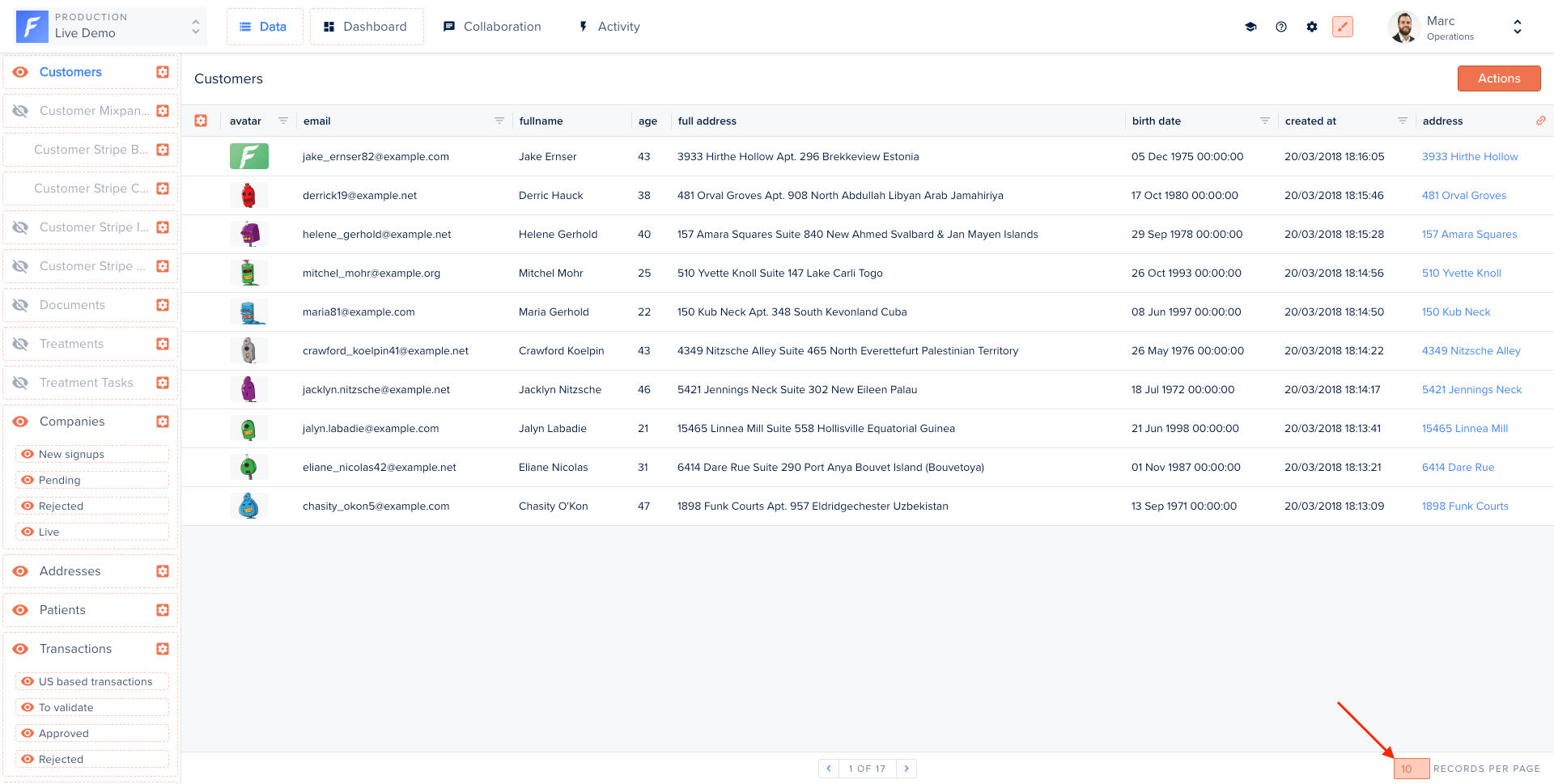
.png?fit=max&auto=format&n=qFIlQ-TfU5KAw1-I&q=85&s=0cb2f7d99c3a0db861cb00f279f7c533)
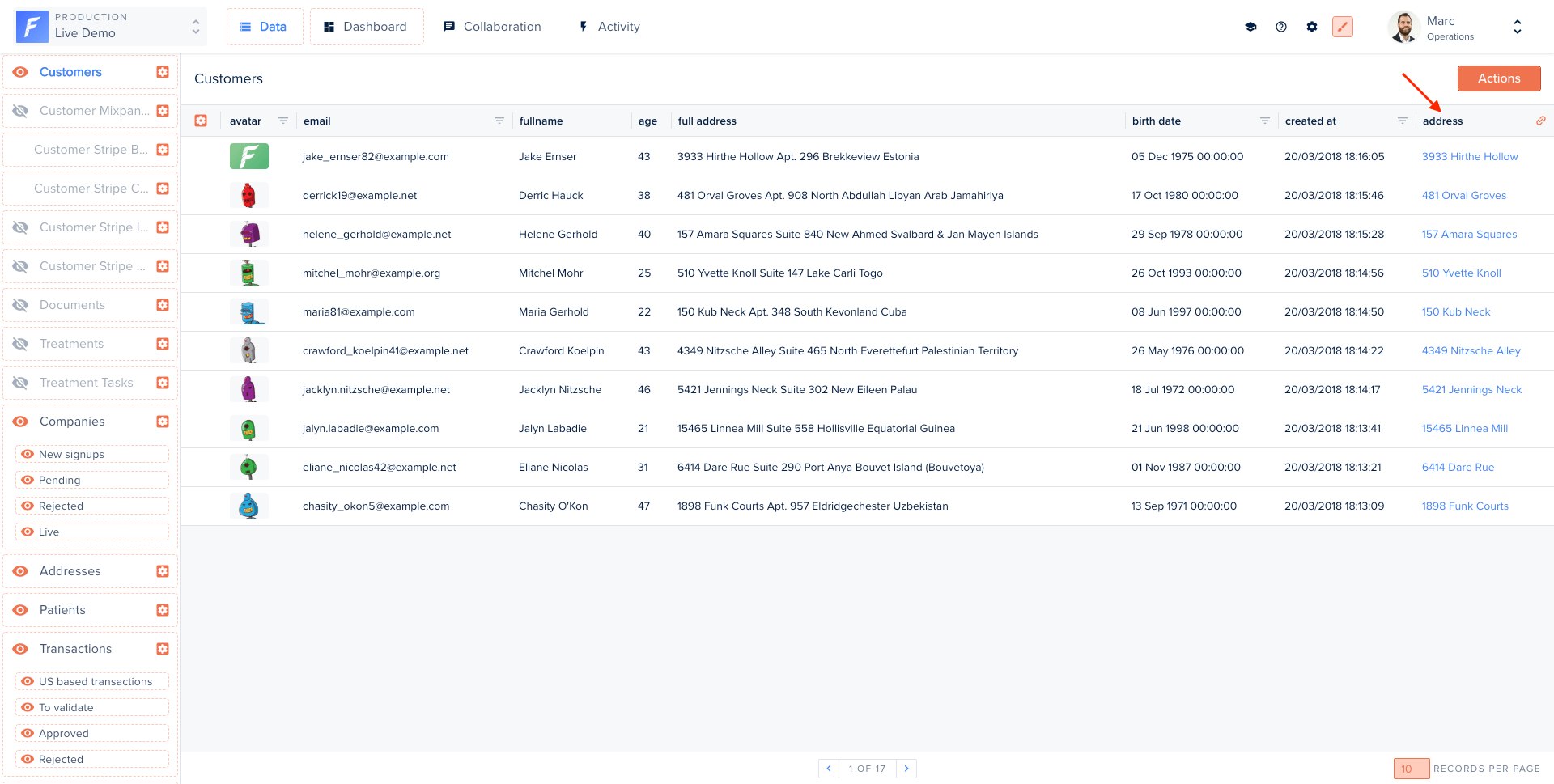
.png?fit=max&auto=format&n=XG_FfWf8cKiyLgEH&q=85&s=7b64b66a17e384fd1fc55423ad65ccfd)