

Overview
When embedding Forest in your app, you’ll be asked for the local application URL during the installation process. This URL must be in HTTPS, except forlocalhost.
This article explains why HTTPS is necessary and provides step-by-step guidance on how to set up a secure connection.
Importance of HTTPS for Forest
Forest’s architecture relies on secure communication between the front-end and the agent. Modern browsers enforce strict security measures to ensure data privacy and integrity. As a result, HTTPS is required when connecting to the agent.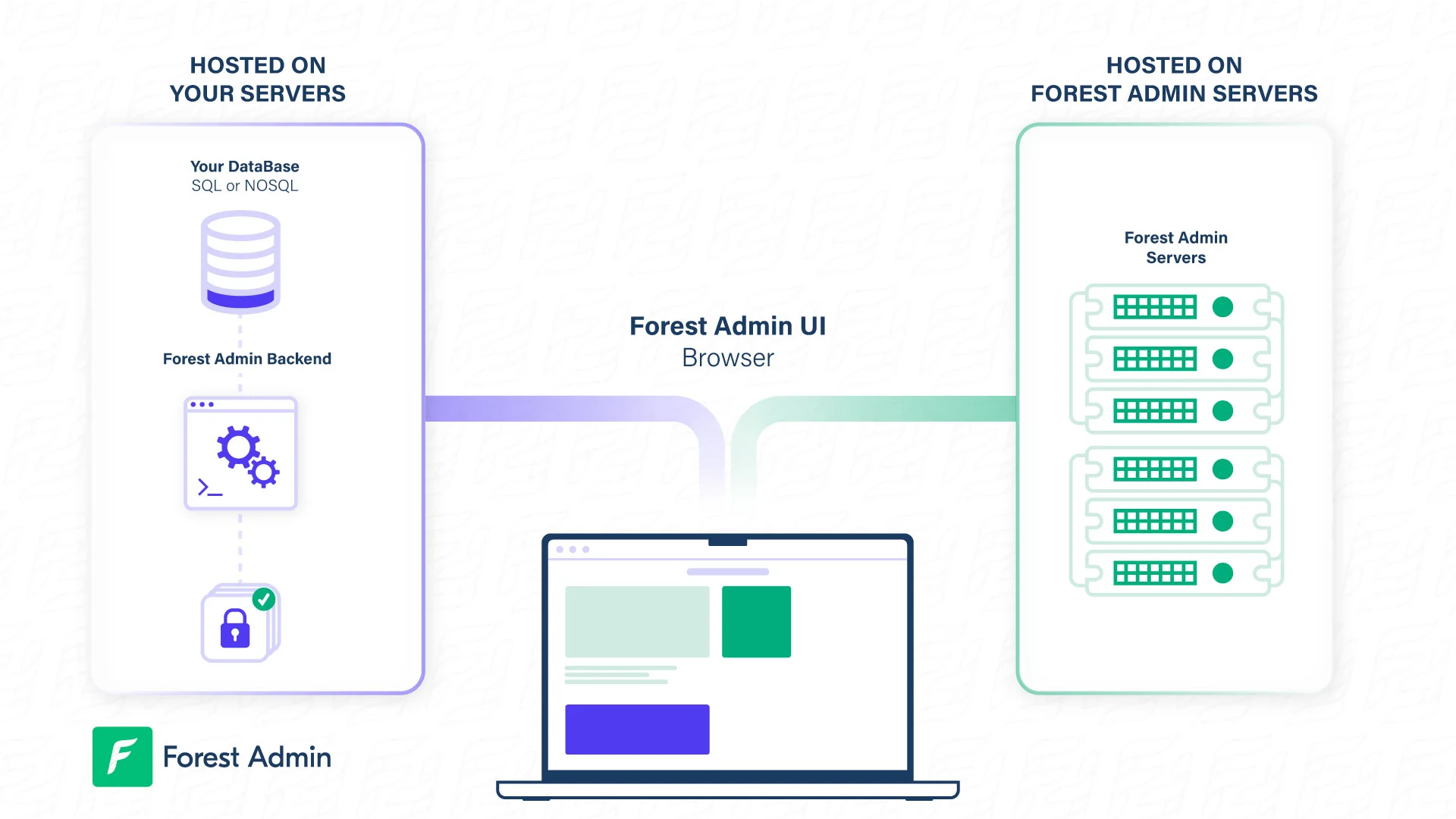
Setting Up a HTTPS Address: Step-by-Step Guide
If your app URL is in HTTP, you can use a tunneling software to access it through HTTPS. This enables Forest to establish a secure connection with your app. Follow these steps to set up a HTTPS address:- Choose a tunneling software: Some popular options include:
- Download and install the tunneling software according to its documentation.
- Configure the tunneling software to point to your app’s HTTP address. This usually involves specifying the local HTTP address and the desired HTTPS address or port number.
- Start the tunneling software. This will create a secure connection between your app’s HTTP address and the new HTTPS address.
- Test the HTTPS address by accessing it through your browser or another tool. Ensure that the connection is secure and that your app functions correctly.
- Provide the HTTPS address during the Forest installation process. Forest will now be able to securely connect with your app.